> ## Documentation Index
> Fetch the complete documentation index at: https://docs.architect.new/llms.txt
> Use this file to discover all available pages before exploring further.
# Creating Artifacts
> Generate documents, presentations, and reports alongside your app — right inside Build Mode.
## What Are Artifacts?
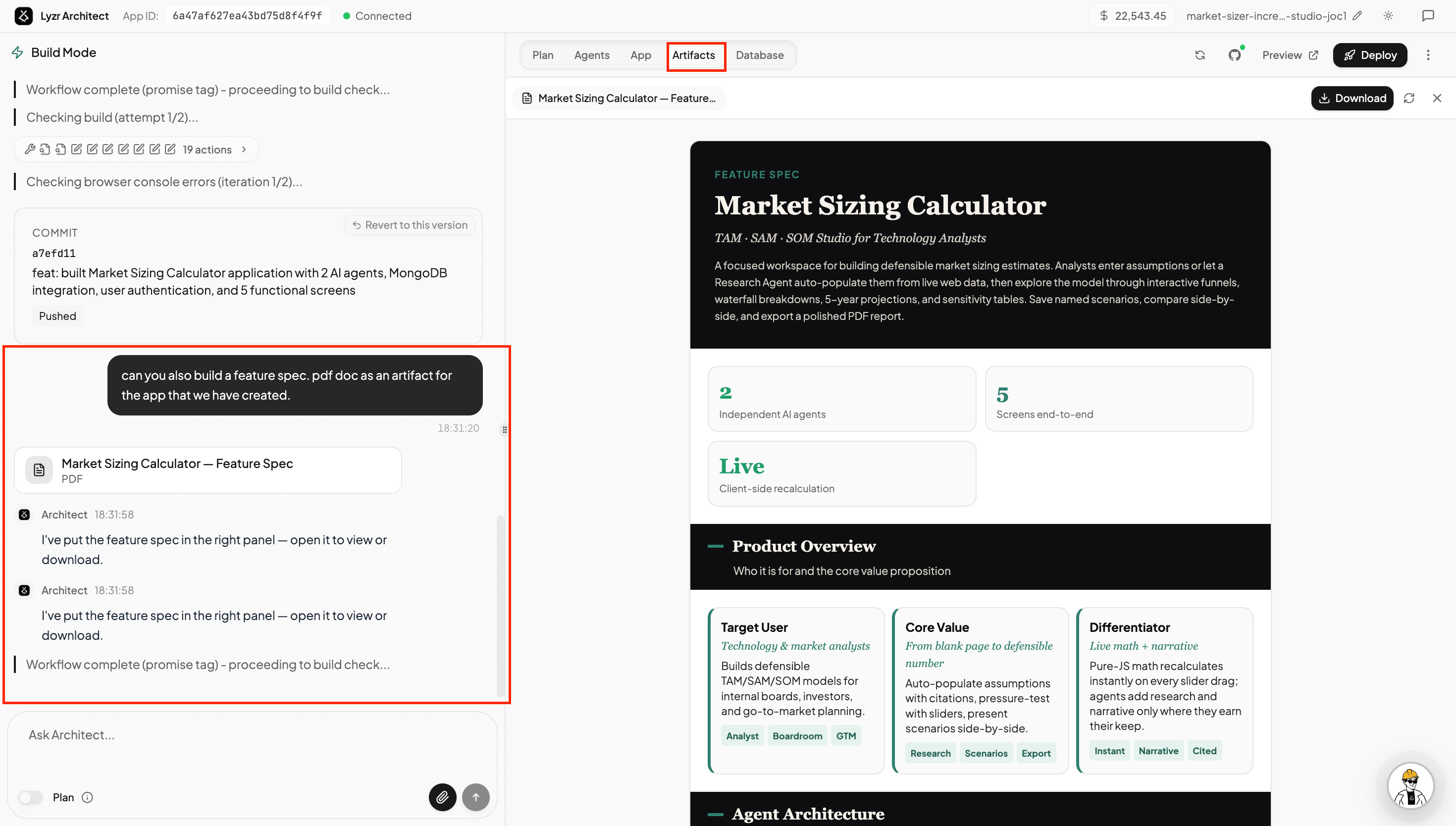
While building your app, you can ask Architect to create standalone documents as **artifacts** — files that appear in the **Artifacts tab** in the right panel, where you can view, download, or share them.
Artifacts are generated in the same conversation as your app, so Architect already has full context of what you're building. You don't need to copy anything out or switch tools.
 ## What You Can Create
Ask Architect to generate any document that relates to your app or idea:
* **Feature spec documents** — a structured breakdown of what the app does, who it's for, the agent architecture, and key screens. Useful for sharing with stakeholders or investors.
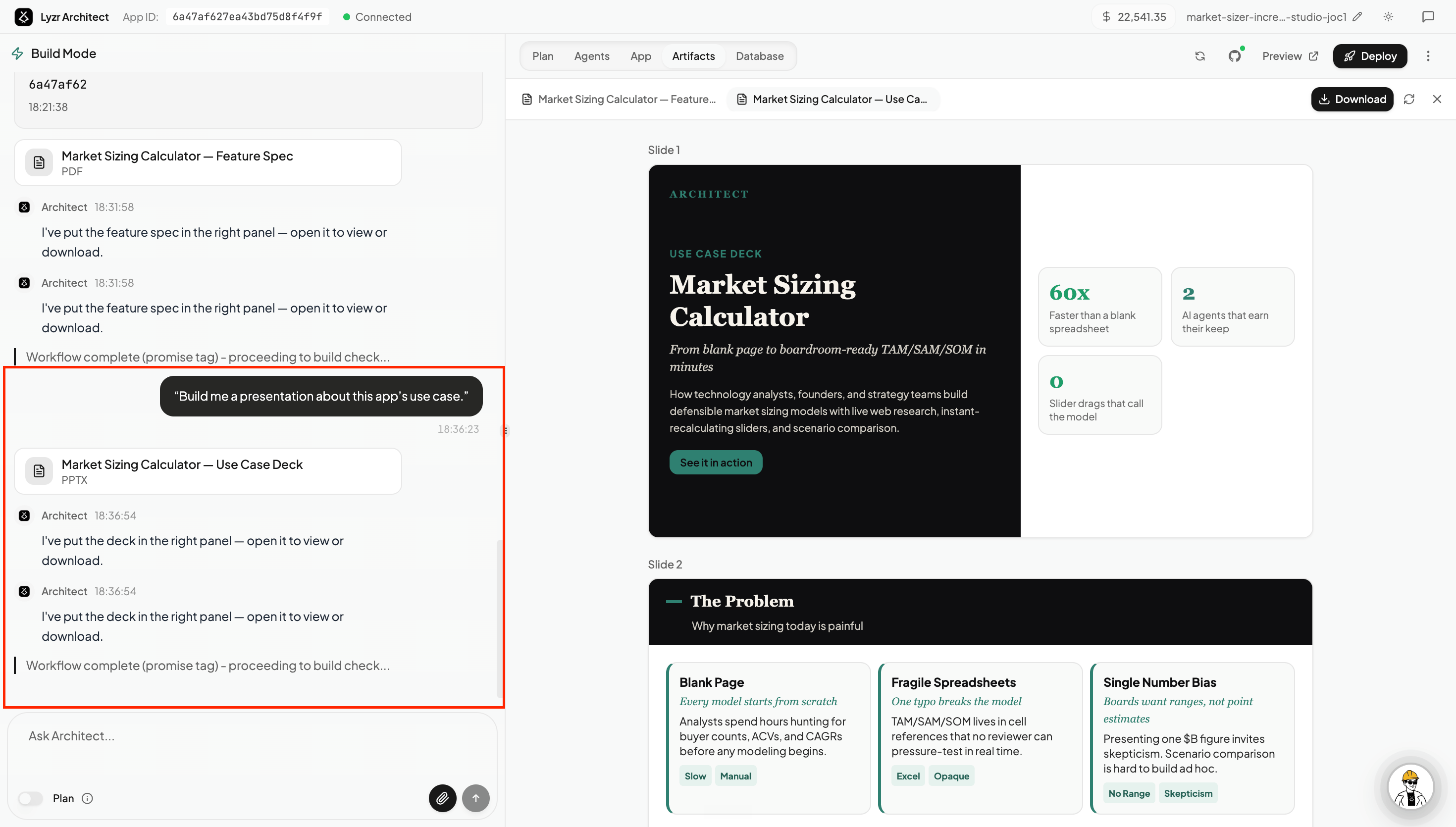
* **Presentations** — a slide deck or HTML presentation covering the app's use case, value proposition, and how it works.
* **Research documents** — background research, competitive analysis, or market context relevant to the problem your app solves.
* **Word / HTML documents** — any freeform document you need: onboarding guides, SOPs, product briefs, or anything else.
## What You Can Create
Ask Architect to generate any document that relates to your app or idea:
* **Feature spec documents** — a structured breakdown of what the app does, who it's for, the agent architecture, and key screens. Useful for sharing with stakeholders or investors.
* **Presentations** — a slide deck or HTML presentation covering the app's use case, value proposition, and how it works.
* **Research documents** — background research, competitive analysis, or market context relevant to the problem your app solves.
* **Word / HTML documents** — any freeform document you need: onboarding guides, SOPs, product briefs, or anything else.
 ## How to Create an Artifact
Just ask in the build chat. For example:
> *"Can you create a feature spec PDF for the app we just built?"*
> *"Build me a presentation about this app's use case."*
> *"Write a research doc on the market this app targets."*
Architect generates the document and places it in the **Artifacts tab** (next to Plan, Agents, App, and Database). Click to open it in the panel, or hit **Download** to save it locally.
You can create artifacts at any point — while the app is being built, or after it's complete.
## How to Create an Artifact
Just ask in the build chat. For example:
> *"Can you create a feature spec PDF for the app we just built?"*
> *"Build me a presentation about this app's use case."*
> *"Write a research doc on the market this app targets."*
Architect generates the document and places it in the **Artifacts tab** (next to Plan, Agents, App, and Database). Click to open it in the panel, or hit **Download** to save it locally.
You can create artifacts at any point — while the app is being built, or after it's complete.