> ## Documentation Index
> Fetch the complete documentation index at: https://docs.architect.new/llms.txt
> Use this file to discover all available pages before exploring further.
# Database & Authentication
> Architect doesn't just build UI screens. It automatically provisions a fully managed backend, complete with a NoSQL database and secure authentication flows.
## Fully Managed Backend
One of the most challenging parts of traditional software development is setting up the backend infrastructure. Architect eliminates this entirely. When you prompt an application that requires saving data, managing users, or storing history, Architect automatically spins up a robust backend for you.
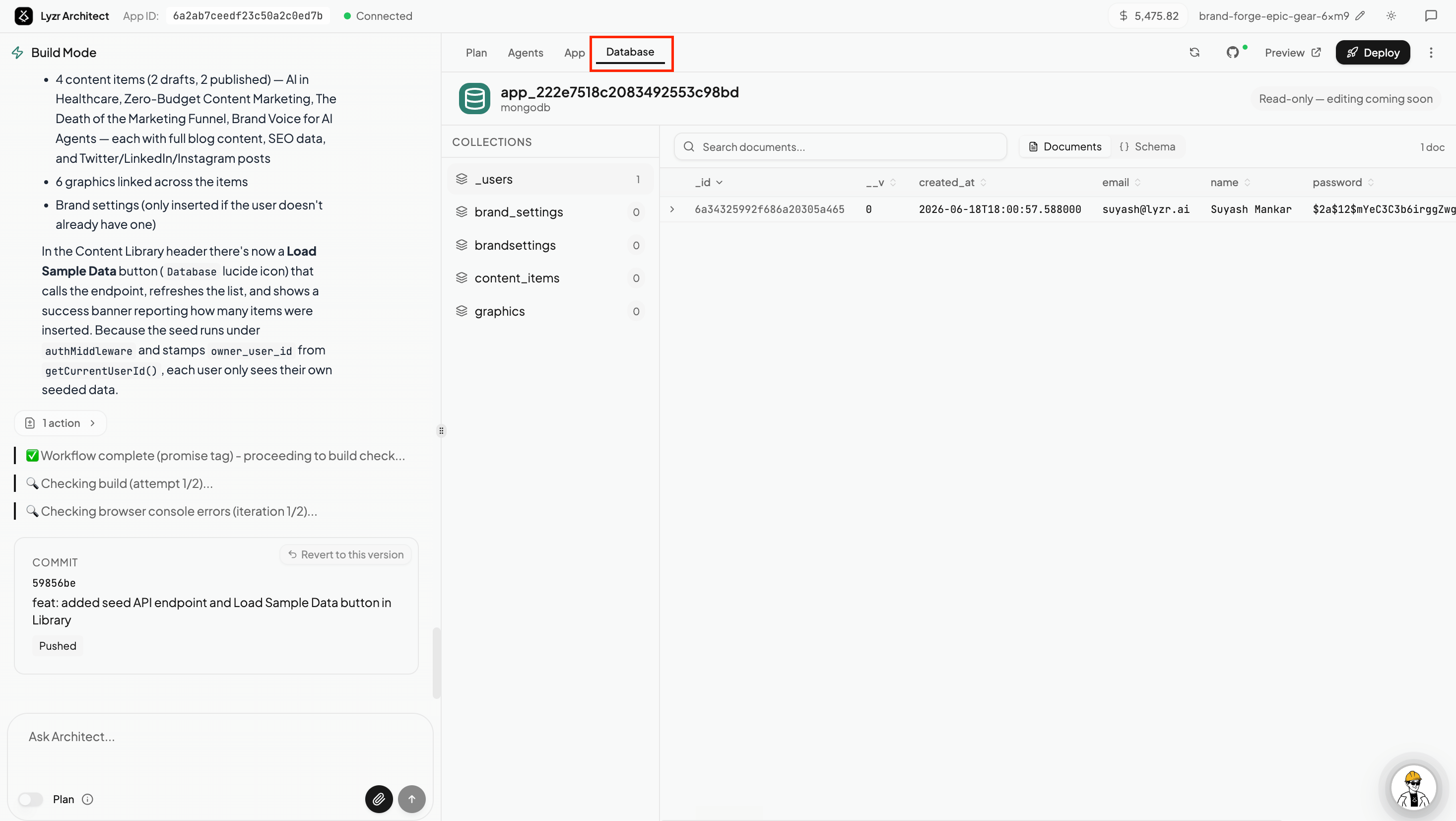 ### The Database Tab
Inside the Architect builder, you have direct access to the **Database** tab. This acts as your visual data explorer.
* **Auto-Generated Collections:** Architect anticipates your data needs based on your prompt. If you build a chat app, it automatically creates collections like `_users`, `characters`, `conversations`, `messages`, and `preferences`.
* **Live Data Viewer:** You can click into any collection to see the live documents (rows) currently stored in your app's database.
* **Schema Management:** You can view how your data is structured, including timestamps, unique IDs, and relationship mapping.
## Secure Authentication
If your application requires user accounts (e.g., a SaaS tool or a private internal dashboard), Architect handles the entire authentication flow out of the box.
### What Architect builds for you:
* **Sign In / Sign Up UI:** Clean, modern authentication screens that match your app's chosen aesthetic theme.
* **Secure Storage:** User credentials (like passwords) are automatically securely hashed (e.g., using bcrypt) before being stored in the `_users` collection.
* **Session Management:** The generated application code handles login states, token management, and protecting private routes from unauthorized access automatically.
### The Database Tab
Inside the Architect builder, you have direct access to the **Database** tab. This acts as your visual data explorer.
* **Auto-Generated Collections:** Architect anticipates your data needs based on your prompt. If you build a chat app, it automatically creates collections like `_users`, `characters`, `conversations`, `messages`, and `preferences`.
* **Live Data Viewer:** You can click into any collection to see the live documents (rows) currently stored in your app's database.
* **Schema Management:** You can view how your data is structured, including timestamps, unique IDs, and relationship mapping.
## Secure Authentication
If your application requires user accounts (e.g., a SaaS tool or a private internal dashboard), Architect handles the entire authentication flow out of the box.
### What Architect builds for you:
* **Sign In / Sign Up UI:** Clean, modern authentication screens that match your app's chosen aesthetic theme.
* **Secure Storage:** User credentials (like passwords) are automatically securely hashed (e.g., using bcrypt) before being stored in the `_users` collection.
* **Session Management:** The generated application code handles login states, token management, and protecting private routes from unauthorized access automatically.