> ## Documentation Index
> Fetch the complete documentation index at: https://docs.architect.new/llms.txt
> Use this file to discover all available pages before exploring further.
# Environment Variables
> Bring your own API keys and secrets into any Architect-built app.
## What Are Environment Variables?
Every app Architect builds runs in a sandboxed environment. If your app needs to connect to an external service — a third-party API, a custom database, a payment provider — you can add your own secrets and config values as **environment variables**. These are injected into your app's sandbox and available via `process.env` in the app code.
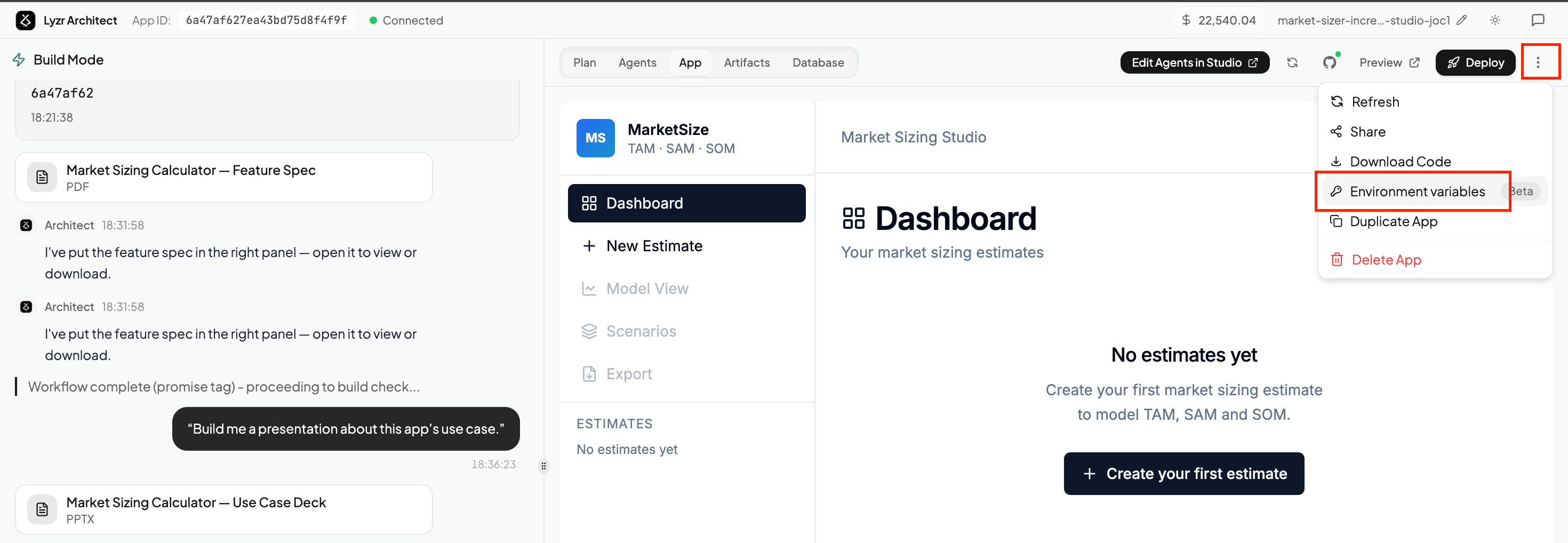 Open the **⋮ menu** in the top-right corner of your app and select **Environment variables** to open the panel.
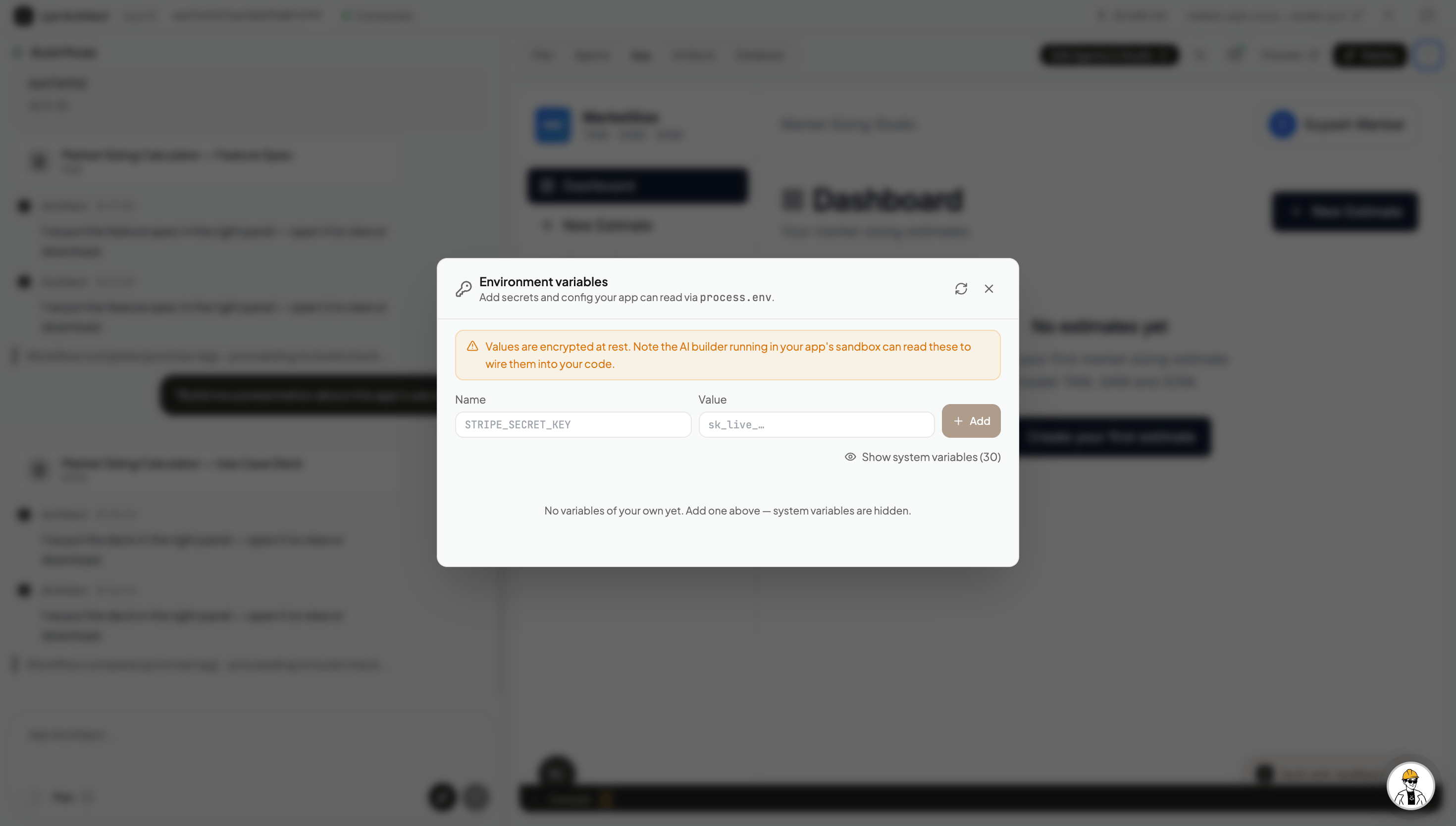 Add a **Name** (e.g. `STRIPE_SECRET_KEY`) and its **Value**, then hit **Add**. Values are encrypted at rest. The AI builder running in your app's sandbox can read them to wire them into your code automatically.
## Some Cases Where This Comes in Handy
**Bring your own API key.** If you want to use a specific provider — OpenAI, ElevenLabs for voice, SendGrid for email — add your API key here instead of relying on shared system keys. Your key, your quota, your billing.
**Voice & transcription.** If you want to add voice input or audio transcription to your app using OpenAI Whisper, add your `OPENAI_API_KEY` here and ask Architect to wire it up.
**Connect an external database.** If you have your own Postgres, Supabase, or any other database you want the app to read from or write to, add the connection string here (e.g. `DATABASE_URL`) and ask Architect to integrate it.
**Third-party integrations.** Any external service your app talks to — a CRM, a data provider, a custom internal API — can be connected this way. Add the key, then prompt Architect to use it.
After adding or updating environment variables, ask Architect to pick them up — for example: *"I've added an `OPENAI_API_KEY` — can you wire up voice transcription using Whisper?"*
Add a **Name** (e.g. `STRIPE_SECRET_KEY`) and its **Value**, then hit **Add**. Values are encrypted at rest. The AI builder running in your app's sandbox can read them to wire them into your code automatically.
## Some Cases Where This Comes in Handy
**Bring your own API key.** If you want to use a specific provider — OpenAI, ElevenLabs for voice, SendGrid for email — add your API key here instead of relying on shared system keys. Your key, your quota, your billing.
**Voice & transcription.** If you want to add voice input or audio transcription to your app using OpenAI Whisper, add your `OPENAI_API_KEY` here and ask Architect to wire it up.
**Connect an external database.** If you have your own Postgres, Supabase, or any other database you want the app to read from or write to, add the connection string here (e.g. `DATABASE_URL`) and ask Architect to integrate it.
**Third-party integrations.** Any external service your app talks to — a CRM, a data provider, a custom internal API — can be connected this way. Add the key, then prompt Architect to use it.
After adding or updating environment variables, ask Architect to pick them up — for example: *"I've added an `OPENAI_API_KEY` — can you wire up voice transcription using Whisper?"*