> ## Documentation Index
> Fetch the complete documentation index at: https://docs.architect.new/llms.txt
> Use this file to discover all available pages before exploring further.
# v2.0.2 — July 2, 2026
> Artifacts in Build Mode, branch switching, environment variables, a longer-lived sandbox, and self-healing error fixes.
More control over how you build, how you sync with GitHub, and how you connect your own tools — plus a sandbox that stays alive longer and fewer errors you ever need to touch.
## New
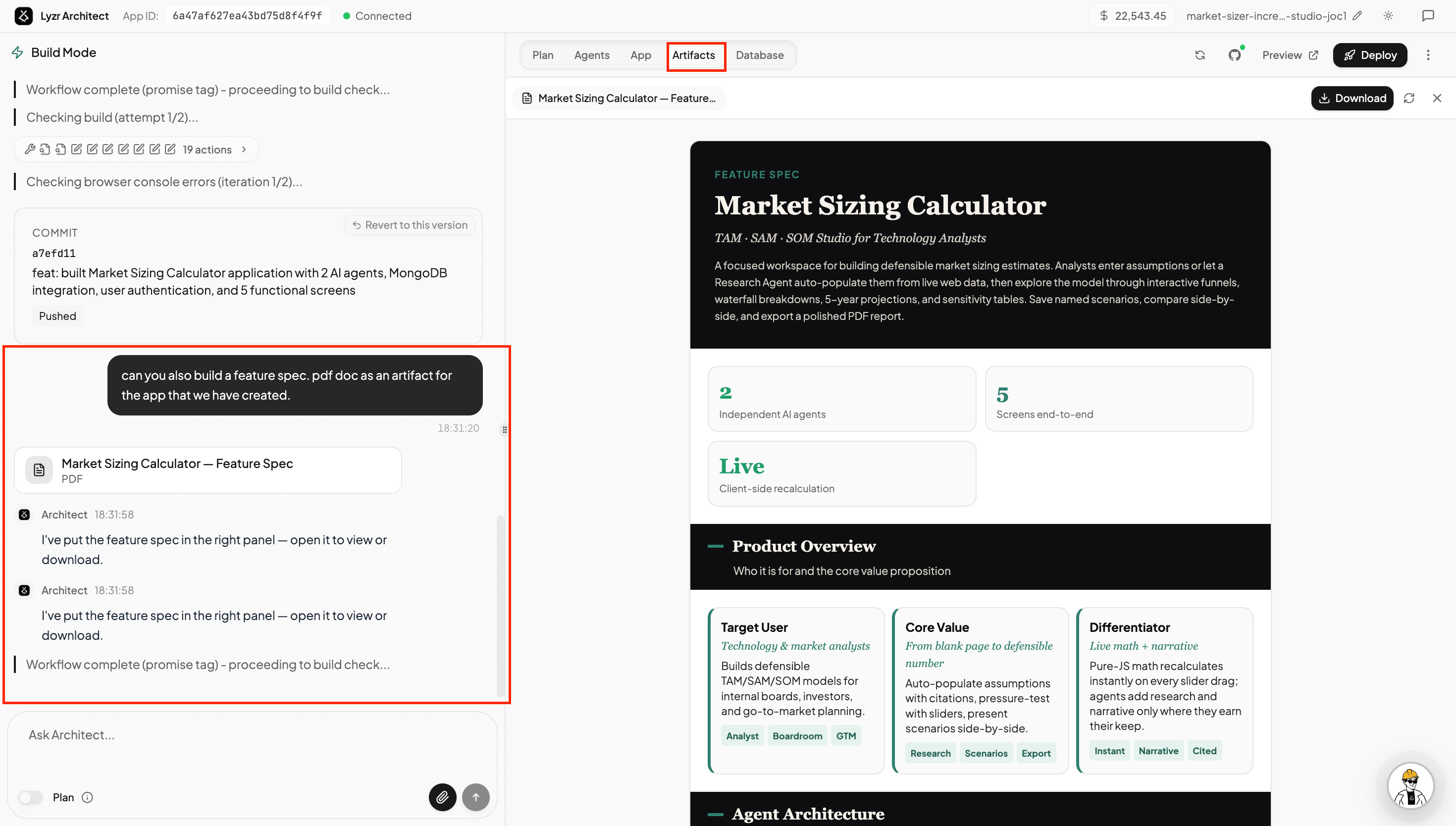
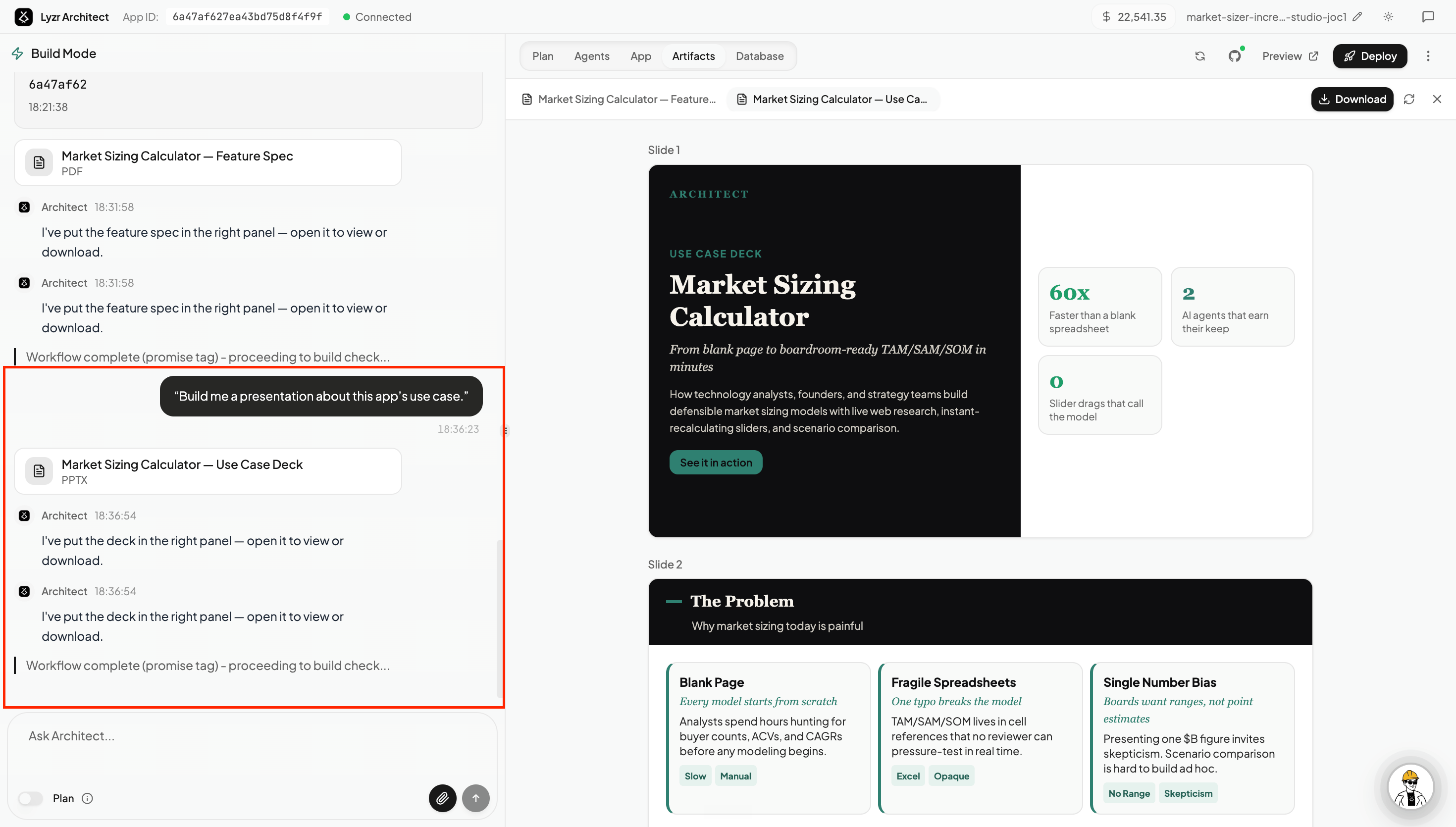
**Create artifacts while you build.** You can now ask Architect to generate standalone documents right inside Build Mode — feature spec PDFs, use case presentations, research docs, HTML or Word documents — anything related to the app you're working on. They appear in the **Artifacts tab** in the right panel, ready to view or download. → [Creating Artifacts](/build/artifacts)
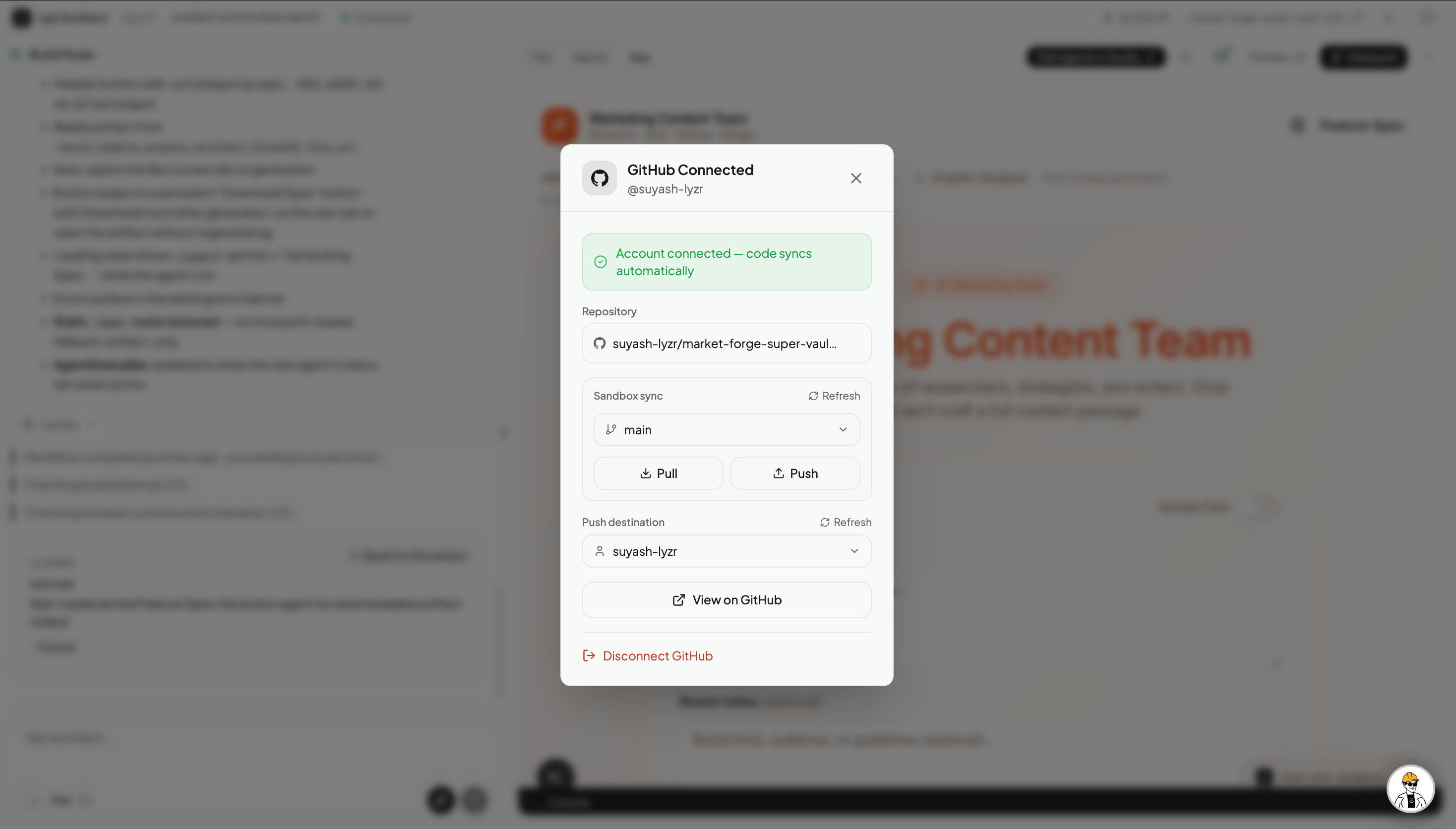
 **Branch switching for GitHub.** You can now check out to any branch of your connected GitHub repo and have Architect build in that branch. Create a branch locally (e.g. a `dev` branch), push it to GitHub, and switch to it from the GitHub panel in Architect — it pulls the latest code from that branch and continues from there. Work on separate features or experiments in parallel, each in its own branch. Pull and push controls are also available for explicit syncing in either direction. → [Connecting Your GitHub](/build/github-connect)
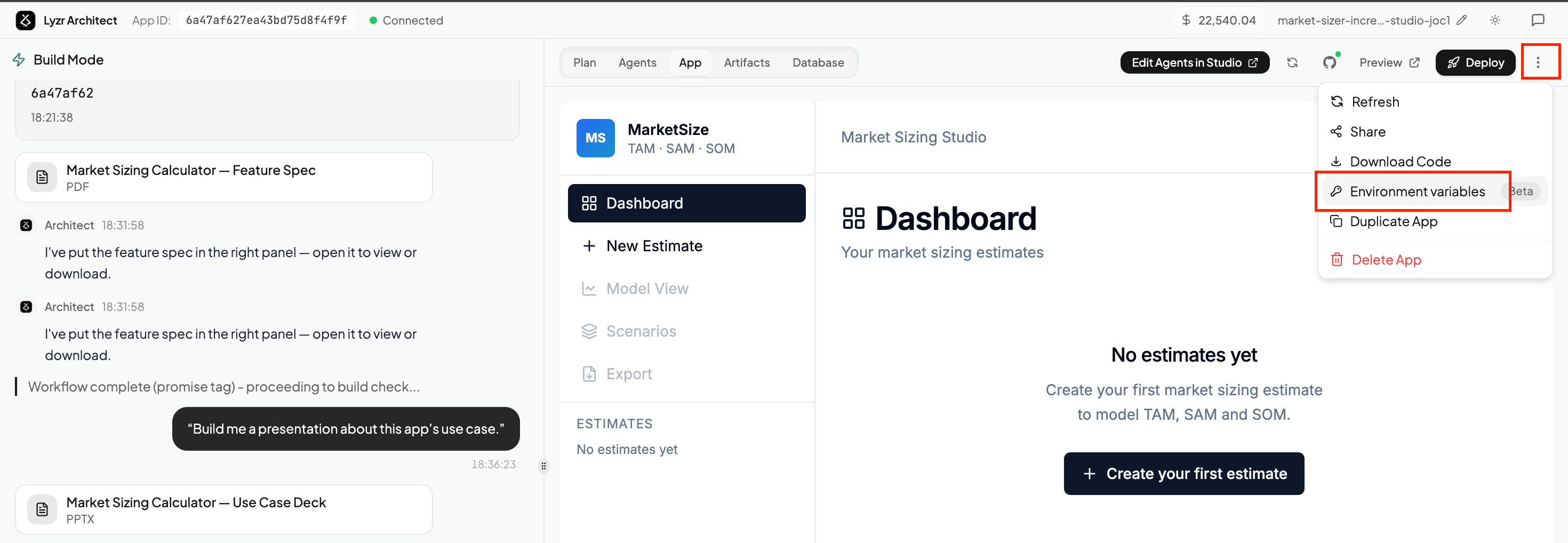
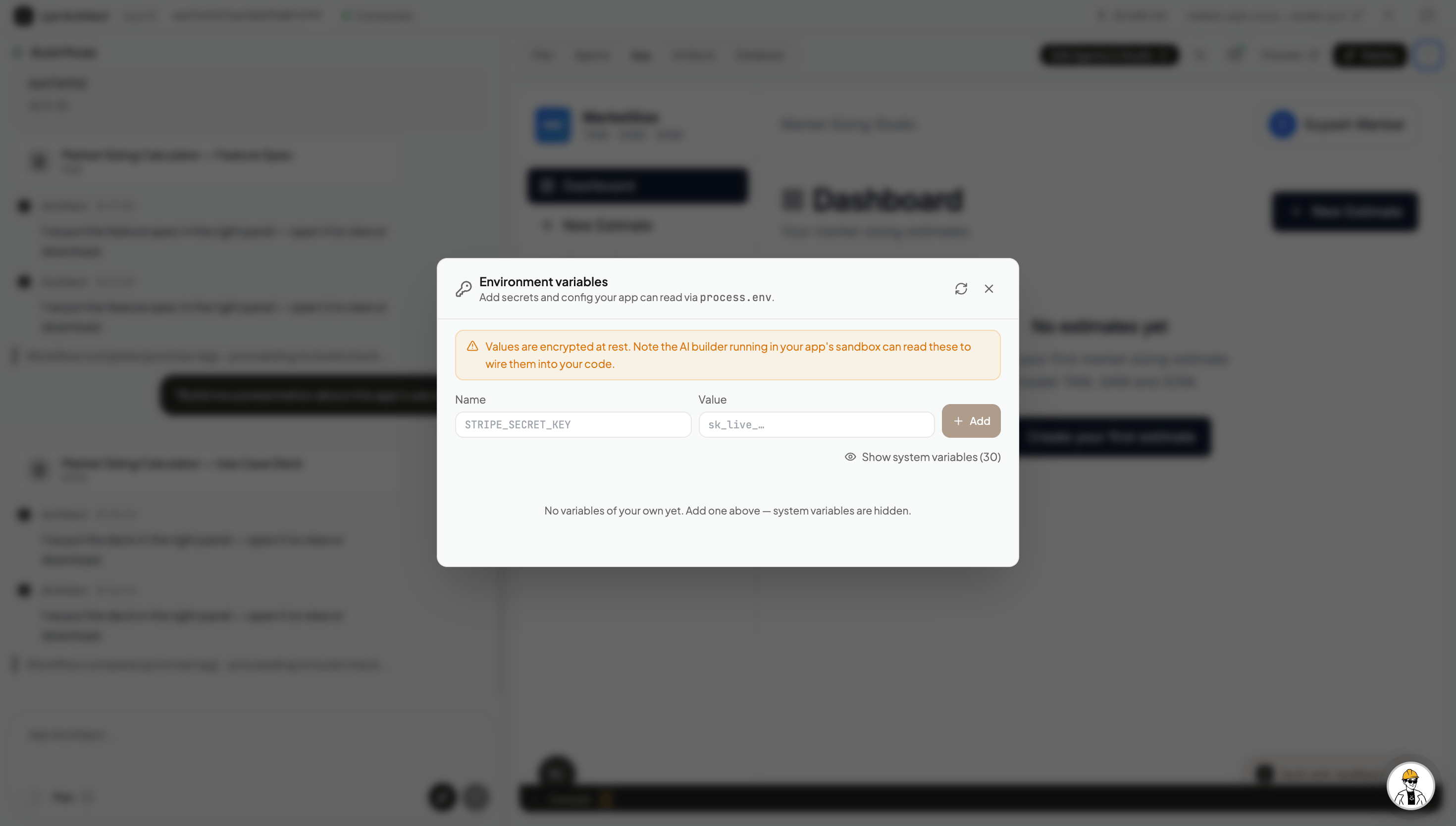
 **Environment variables.** You can now add your own API keys and secrets directly to any Architect-built app via the **Environment variables** panel (⋮ menu → Environment variables). Add a key, then ask Architect to wire it up — for example, bring your own OpenAI key for Whisper transcription, connect an external database, or link any third-party service your app needs. → [Environment Variables](/build/environment-variables)
 ## Improvements
**Sandbox stays active for 10 minutes.** Your app preview sandbox now stays alive for at least 10 minutes, even if you step away from the screen. Previously the sandbox could die during short breaks, forcing you to refresh and wait for it to recover. Now it holds on long enough that you can come back and pick up right where you left off.
## Fixes
**Architect self-heals most build errors automatically.** When an error occurs during a build — like a `500 error` on `/api/agent` — Architect now fixes it on its own in most cases without you having to click the **"Help me fix it"** prompt. The prompt still appears for edge cases that need your input, but the vast majority of common errors are resolved silently before you even notice them.
## Improvements
**Sandbox stays active for 10 minutes.** Your app preview sandbox now stays alive for at least 10 minutes, even if you step away from the screen. Previously the sandbox could die during short breaks, forcing you to refresh and wait for it to recover. Now it holds on long enough that you can come back and pick up right where you left off.
## Fixes
**Architect self-heals most build errors automatically.** When an error occurs during a build — like a `500 error` on `/api/agent` — Architect now fixes it on its own in most cases without you having to click the **"Help me fix it"** prompt. The prompt still appears for edge cases that need your input, but the vast majority of common errors are resolved silently before you even notice them.