

1
Start the Conversation
Open “What should I build?” from the homepage sidebar to launch a guided interview. There’s no need for technical specs or a fully-formed idea — Architect starts by getting to know you and how you actually work.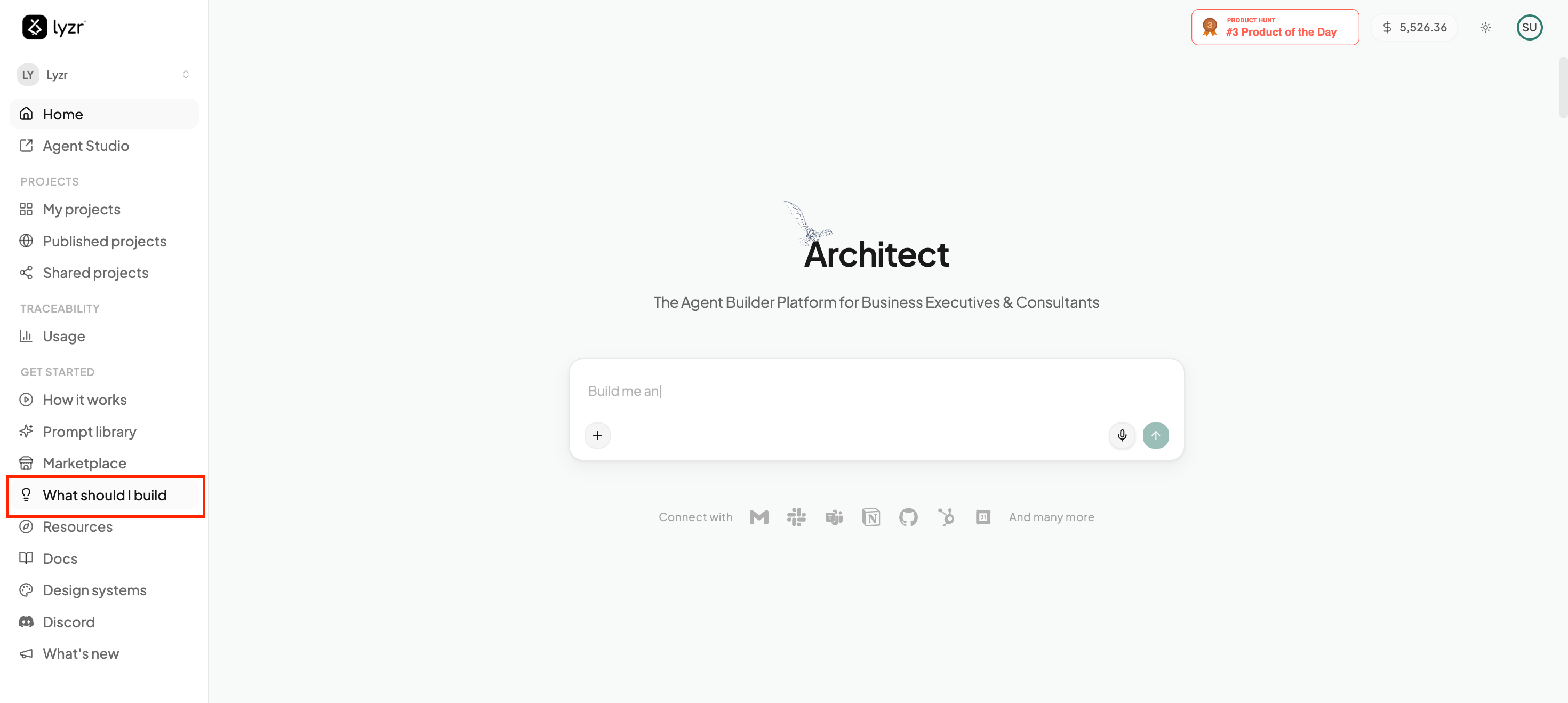
2
The Interview
A short, four-part conversation that turns what you do every day into a concrete spec for what Architect should build.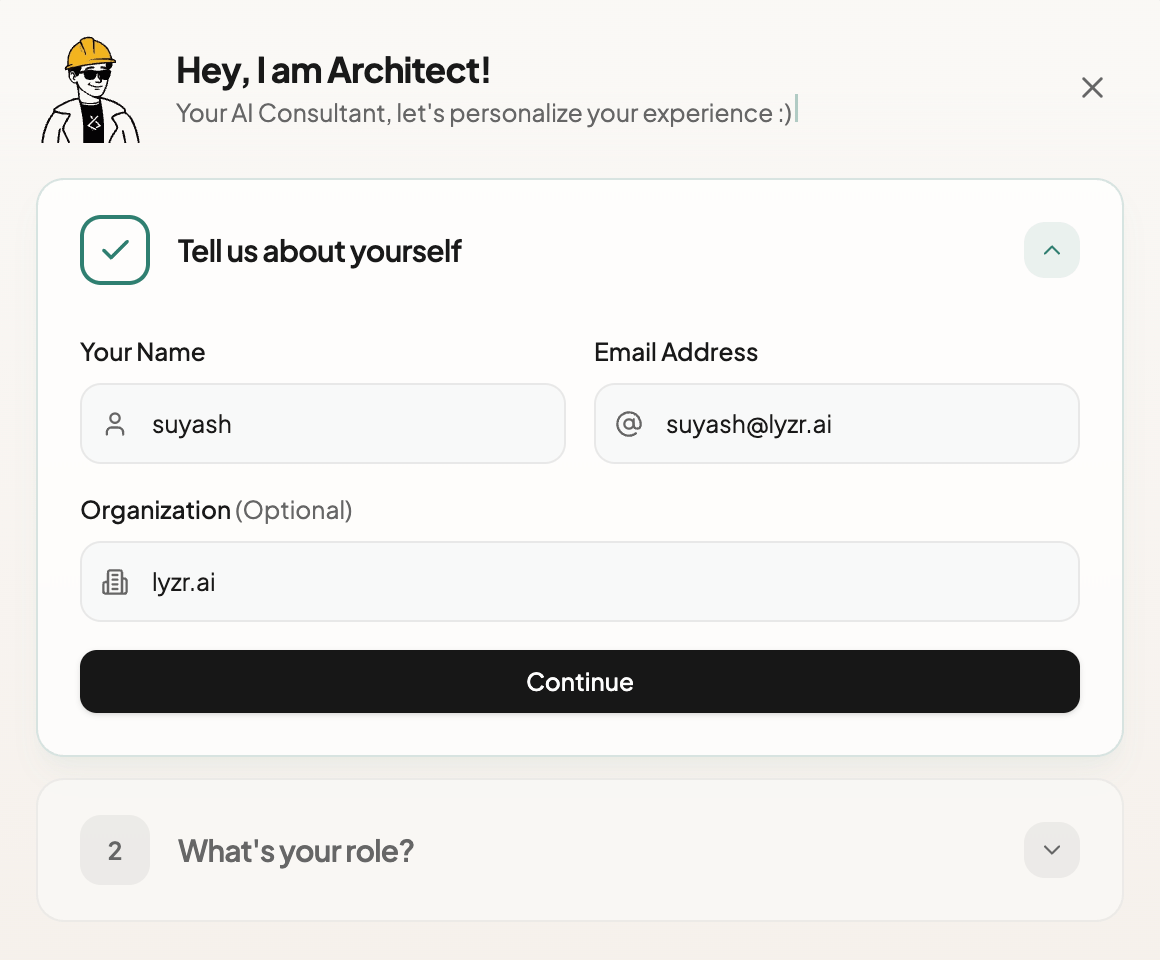
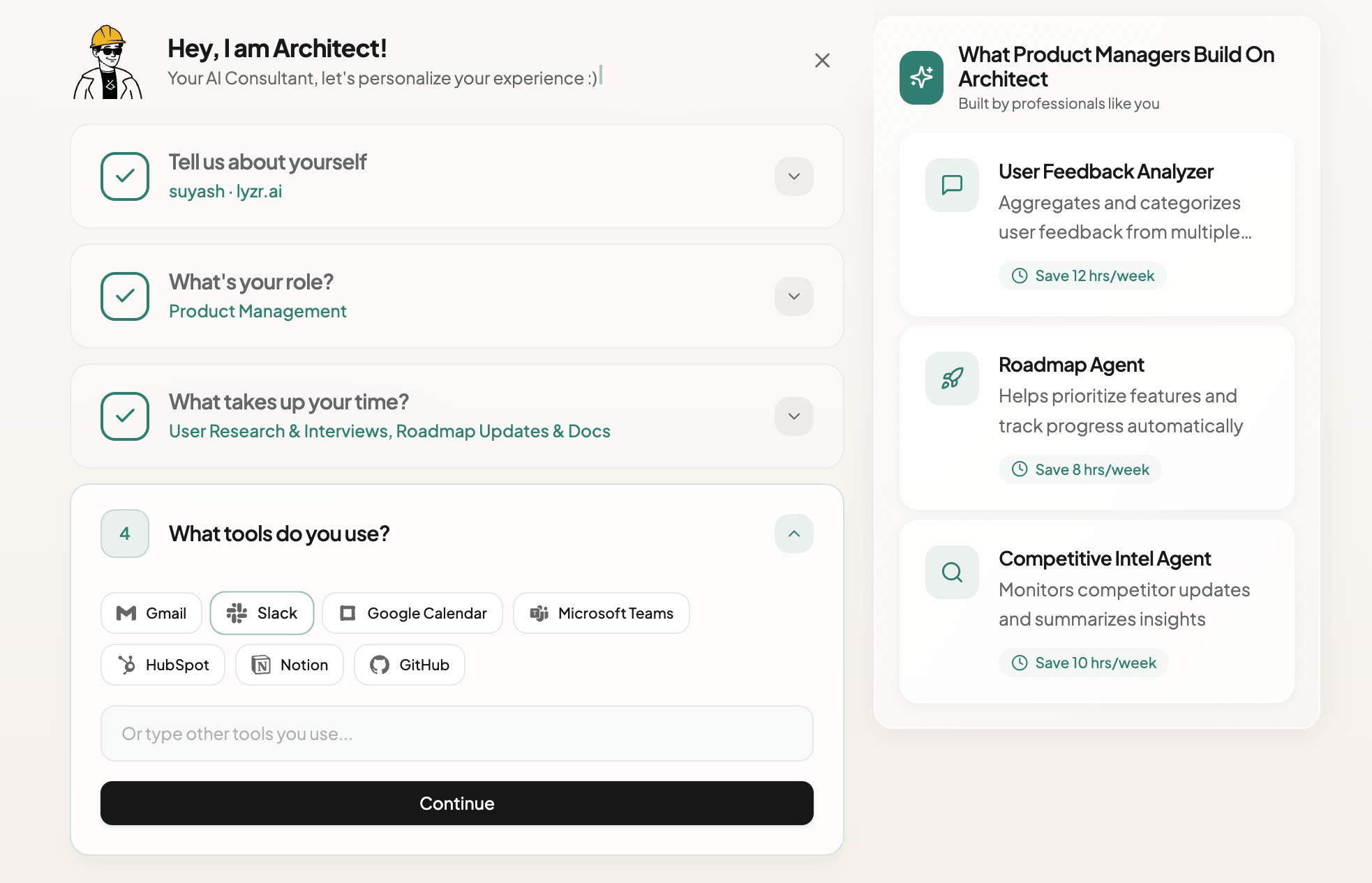
Your Identity
Architect starts with who you are. These details personalize the app it builds for you — like greeting you by name in the dashboard header.Your Role
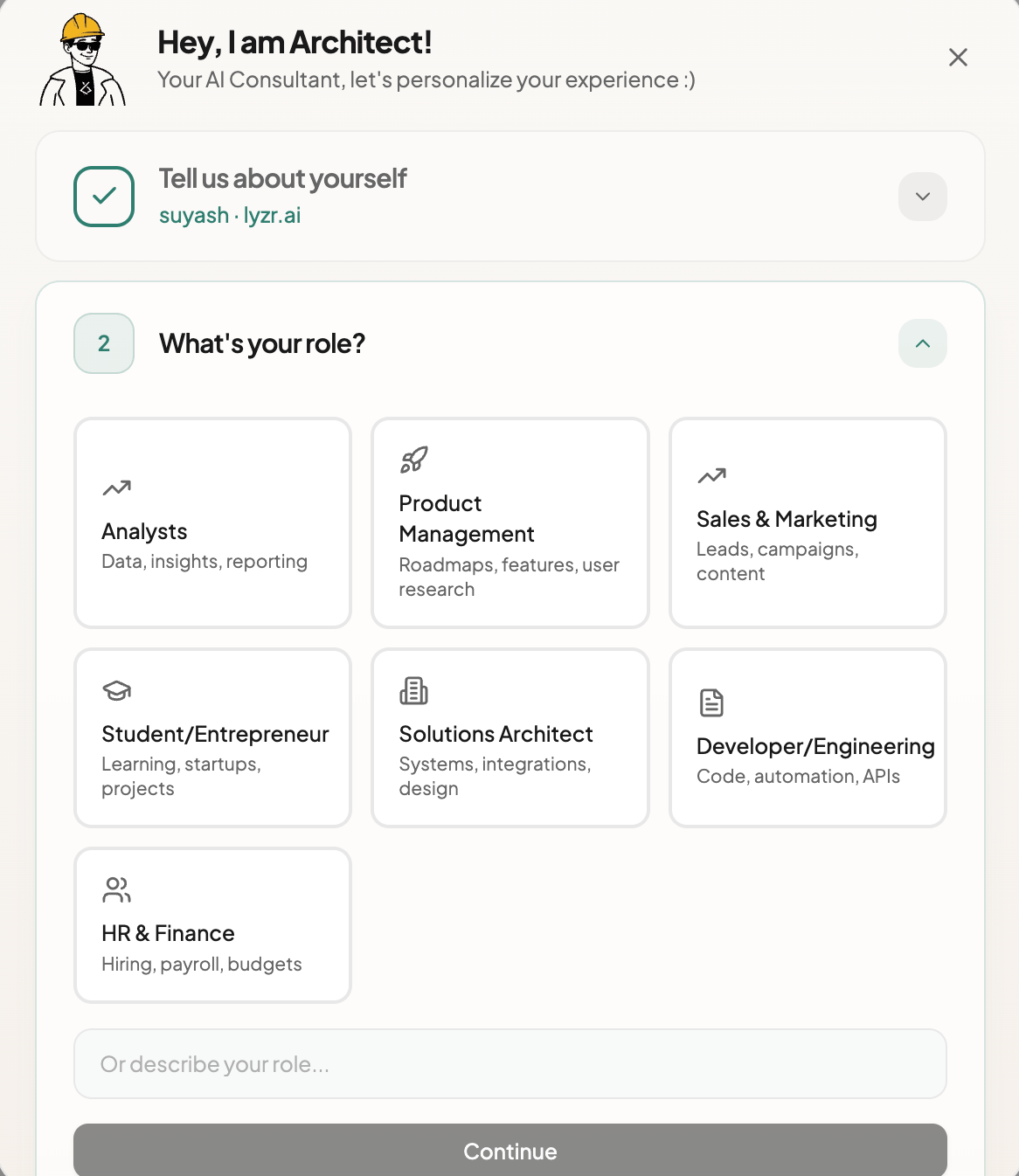
Tell Architect your job function and it cross-references your role against a library of common, industry-specific bottlenecks — so its suggestions feel tailored to your work, not generic.Your Time-Sinks
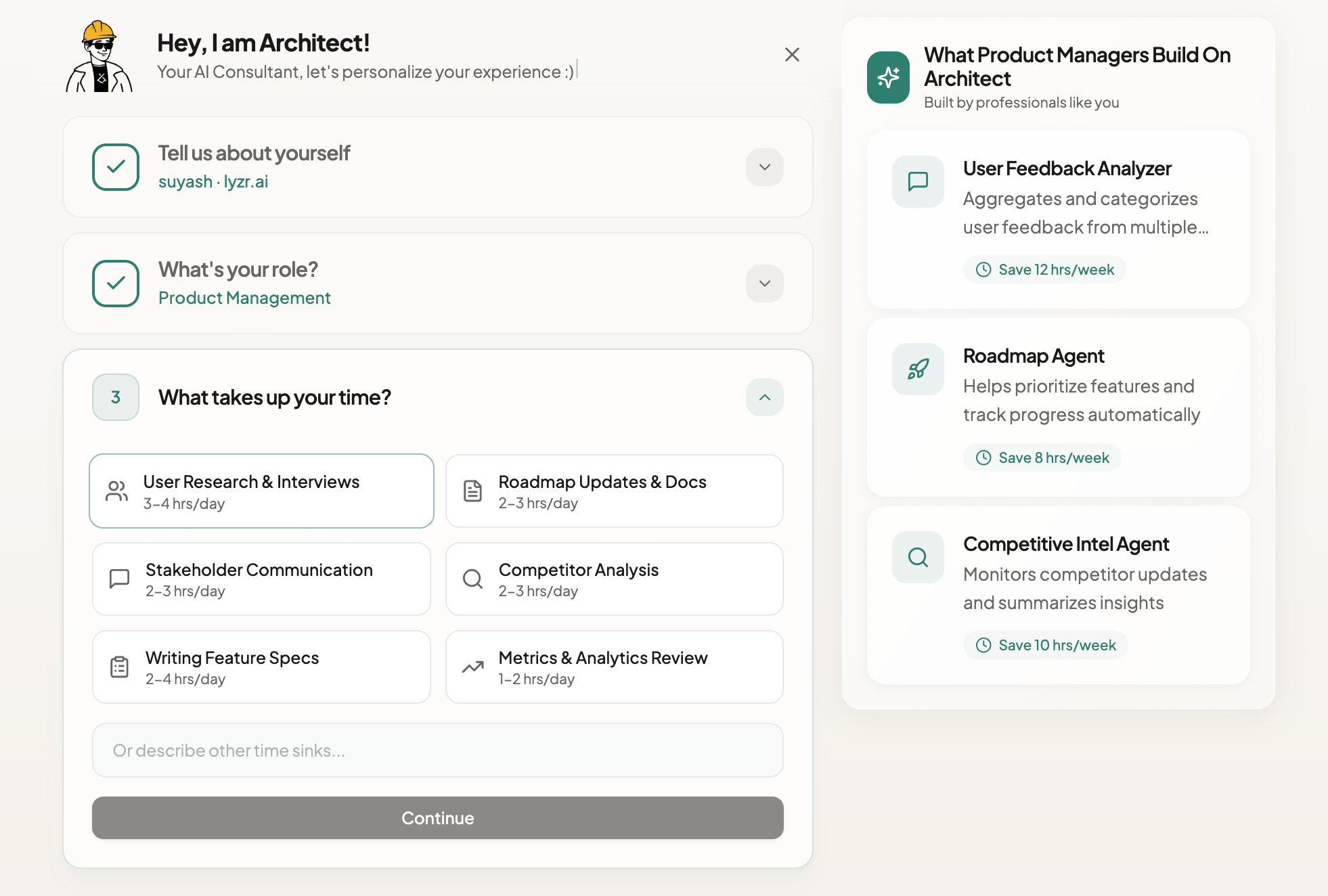
The most important step. Architect asks where your time actually goes and surfaces the repetitive tasks that drain your week — the raw material it uses to estimate how many hours an agent could give back.Tool Integrations
Architect asks which tools you already rely on — Slack, HubSpot, Jira, and more — so the agents it recommends plug into your existing stack instead of living in a silo.3
Your Tailored Proposals
Architect doesn’t stop at a vague idea — it returns a spec. Based on everything you shared, it generates three tailored agent proposals, each with a clear purpose, a list of capabilities, and an estimate of the hours it saves you every week. Pick one and start building in a single click.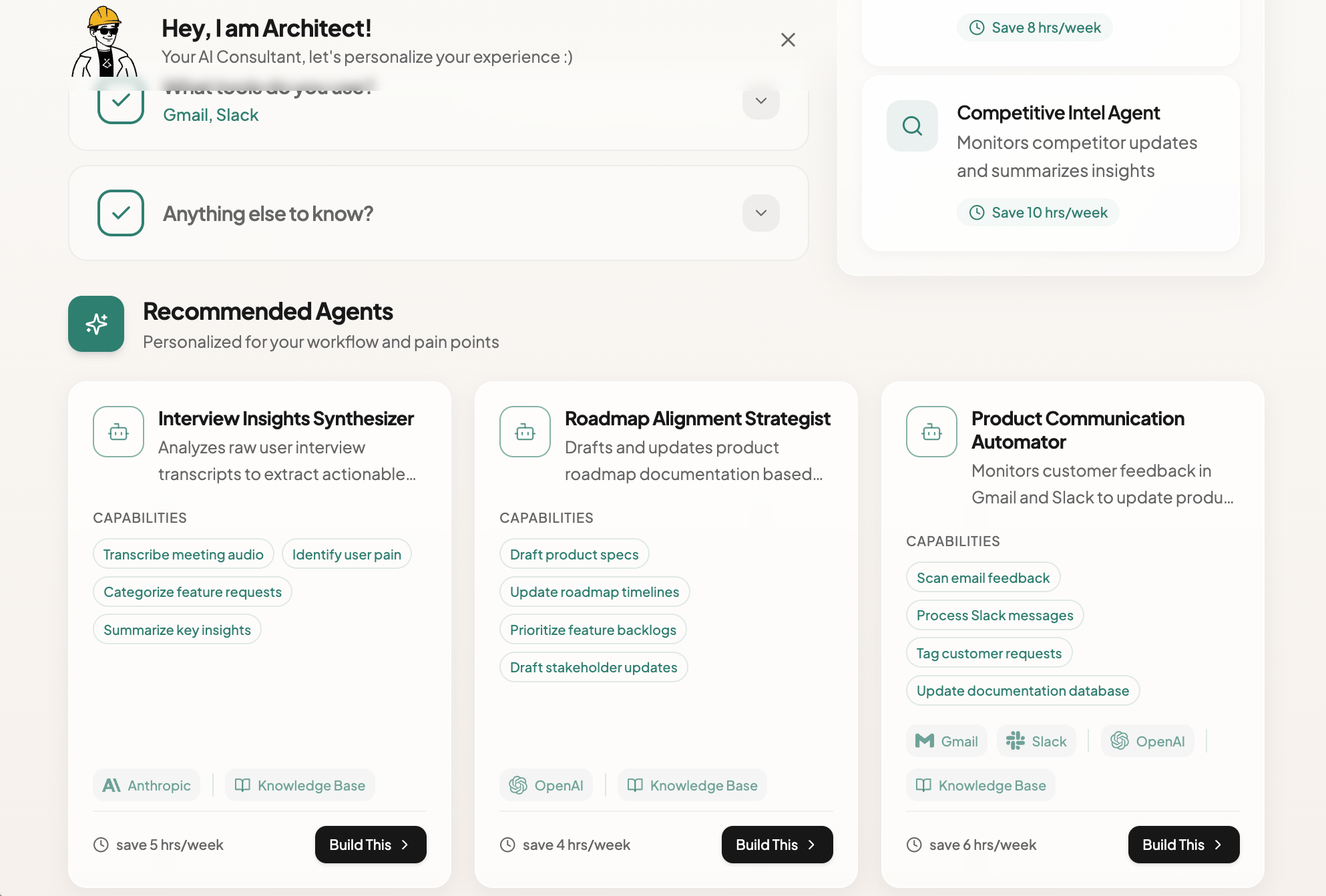
Minutes
From idea to a spec
3
Tailored agent proposals
1-Click
From proposal to PRD