

Credits are how Architect meters the AI work behind your apps. Everything that calls a model — building and refining an app, and the agents inside your deployed apps as real users run them — draws from your credit balance. The Usage dashboard is where you keep an eye on all of it in one place.

What Consumes Credits

  • Building & refining — each time Architect plans, generates, or edits an app, the underlying model calls consume credits.
  • Running your apps — every time an agent in a live app responds to a user, that inference consumes credits too.
Because consumption scales with how much your agents actually think, heavier or higher-traffic apps naturally use more credits than light ones.

Track Your Credit Usage

To see exactly where your credits are going, open the Usage tab from the homepage sidebar.
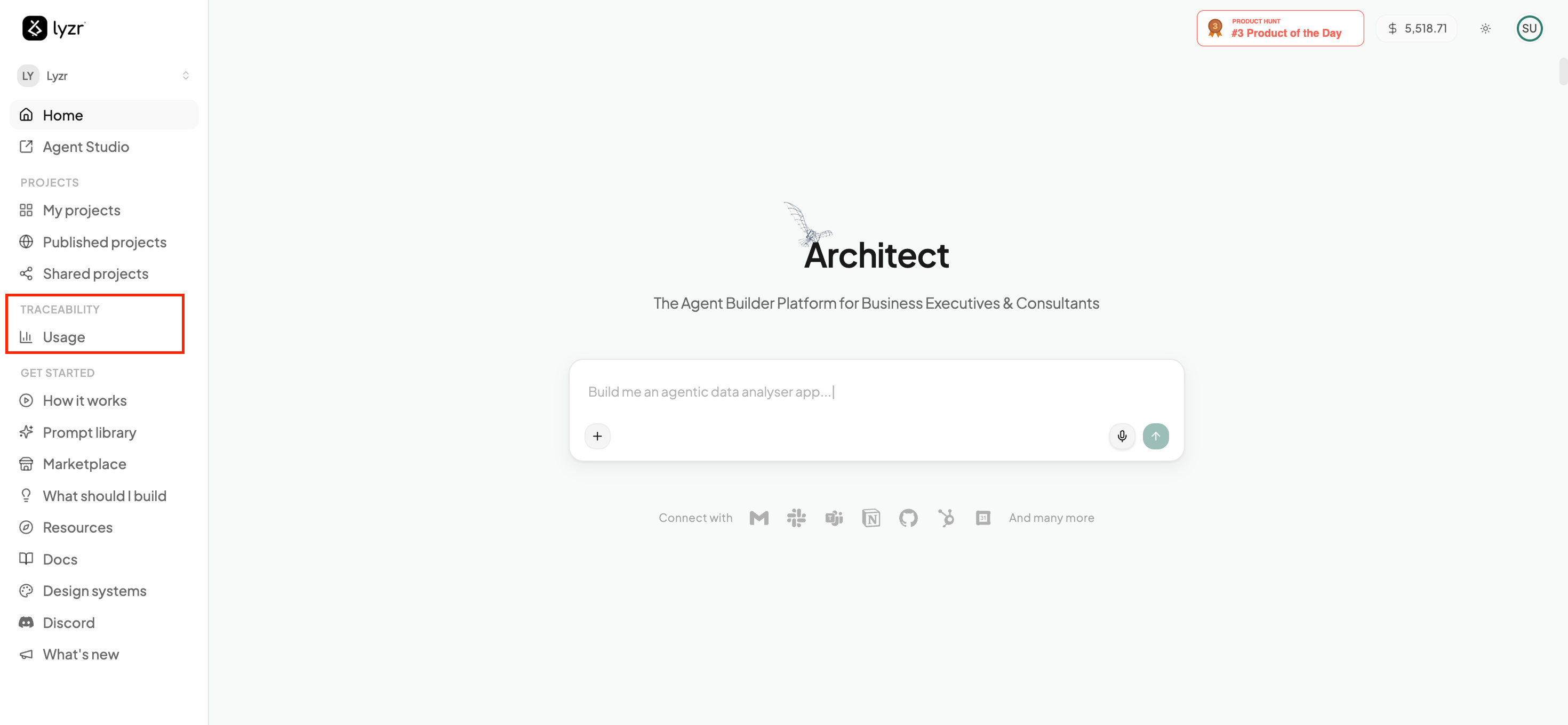
Usage tab in the Architect homepage sidebar
The Usage Breakdown view gives you the full picture at a glance:
  • Total credits used across your account.
  • Total number of apps you’ve built.
  • A per-app breakdown showing how many credits each app has consumed and when it was last used — so you can quickly spot which apps are driving most of your usage.
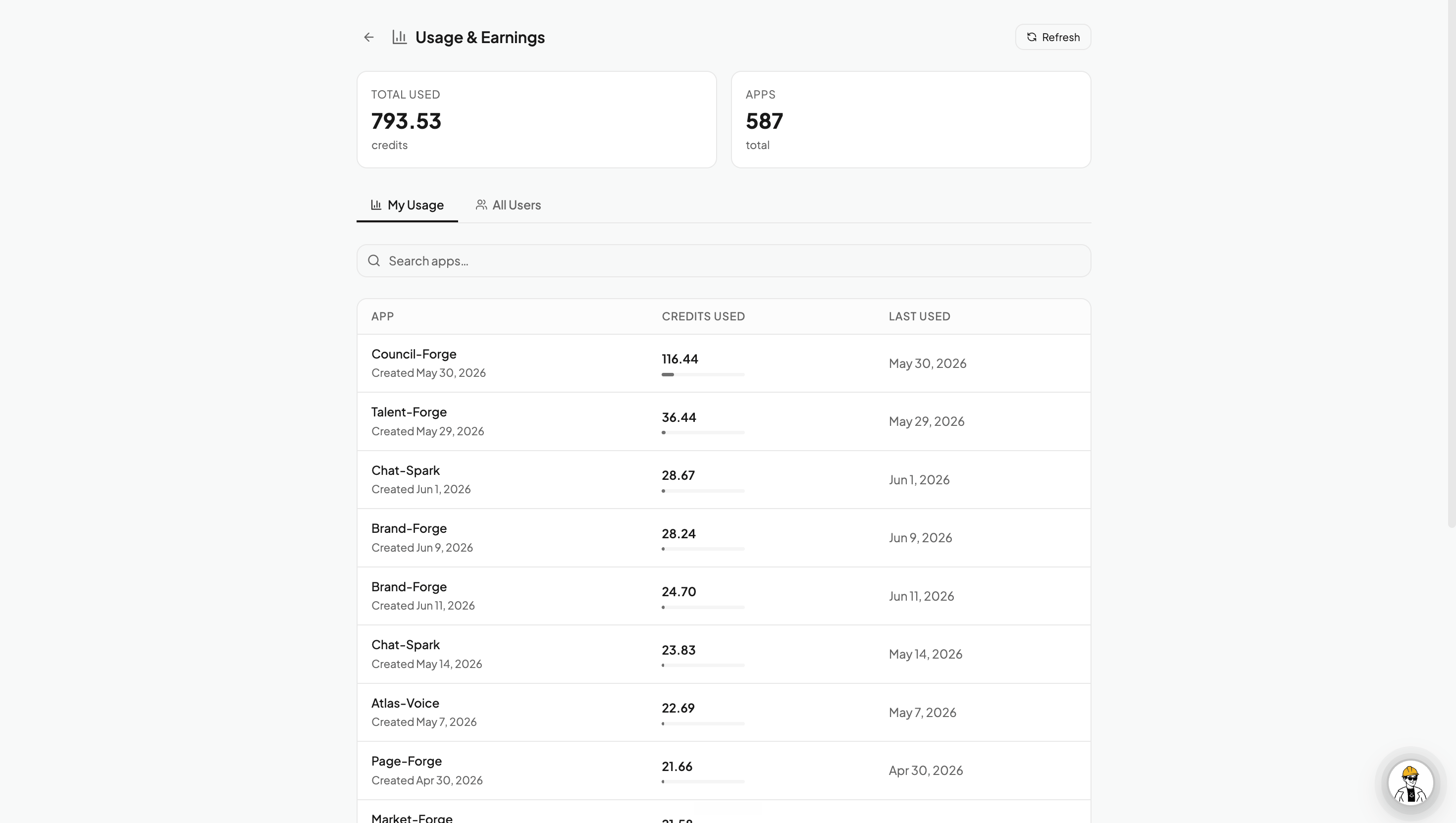
Use the search box to find a specific app, and the per-app rows to identify anything consuming more than you’d expect.
Usage Breakdown page showing credit consumption per app
Running low, or want a bigger monthly allotment? Review the available plans and credit allowances on Plans & Credits.