

GitAgent in Architect is an early beta feature. You can create one today and it works end to end, but it does not yet change how your app’s interface looks or behaves — for now, there’s no difference in the final app UI. If you’re unsure, keep the default Lyzr agents.
What is GitAgent?
When Architect builds a normal app, the AI agents that power it are hosted Lyzr agents — they live inside Lyzr Studio and you configure them there. GitAgent takes a different approach: your agent lives inside a git repository. Its identity, rules, skills, tools, and memory are all version-controlled files. This is the “agents as repos” idea — instead of your agent’s configuration being locked inside a platform, it’s plain, readable code you own and control. GitAgent is built on GitAgentProtocol (GAP) — an open standard for git-native AI agents, maintained by Lyzr Research Labs.GitAgent is its own open project with a full harness, SDK, and CLI. Explore it at gitagent.sh.
- Audit trail —
git logyour agent’s memory and track every change to how it behaves. - Version control — fork an agent, branch a personality, roll back to a previous version.
- No vendor lock-in — the agent is portable files (Markdown + YAML), not rows in someone’s database.
- Reviewable — your agent’s behavior is code you (and your team) can read and review like any repo.
The agent repo structure
When Architect creates a GitAgent, it generates a repository with a standard file layout. Each file defines one part of how the agent thinks:
Because it’s all just files in a repo, you can read, edit, version, and share your agent exactly like any other codebase.
Lyzr Agent vs GitAgent
The two agent types are configured in completely different places. Here’s the difference:
In short: a Lyzr agent is controlled entirely from Lyzr Studio, while a GitAgent is controlled entirely by the files in its GitHub repo.
How to create a GitAgent in Architect
While planning a new app, Architect asks — as the last, optional question — whether you want to build with GitAgent. Select “Build this using GitAgent (beta feature)” instead of the default Lyzr agents, then continue building.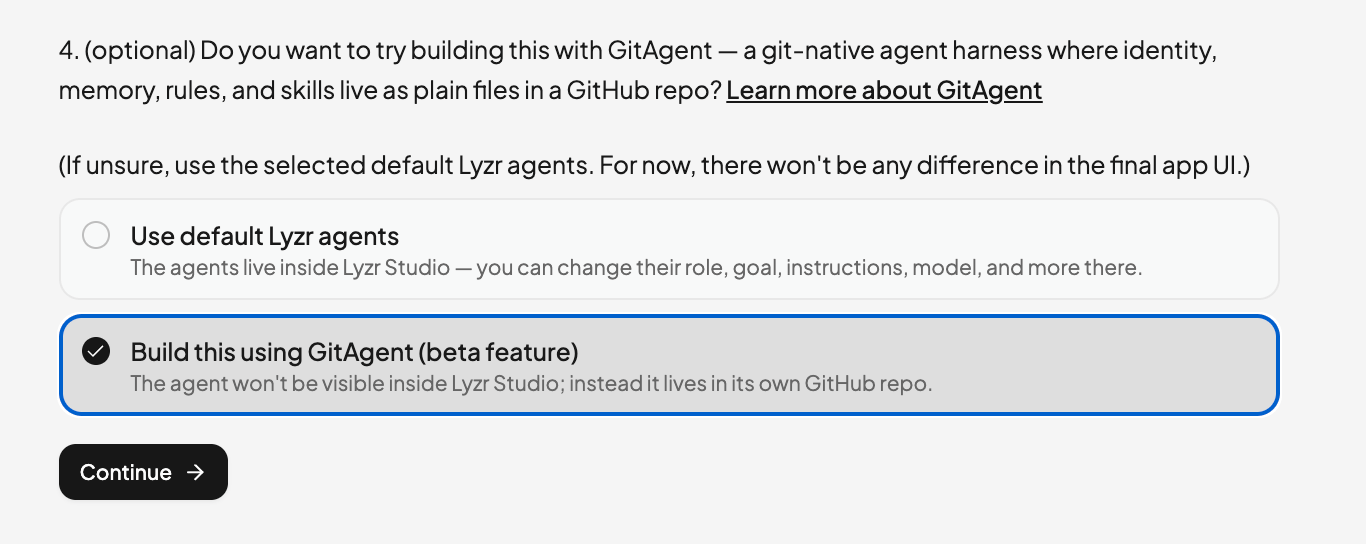
Viewing your GitAgent’s details
Once your app is built, open the Agents tab and click your git-native agent to see its full definition — its Soul (identity & personality), Rules (hard constraints), and Duties (responsibilities) — read straight from the repo. Use View repository on GitHub to jump to the source.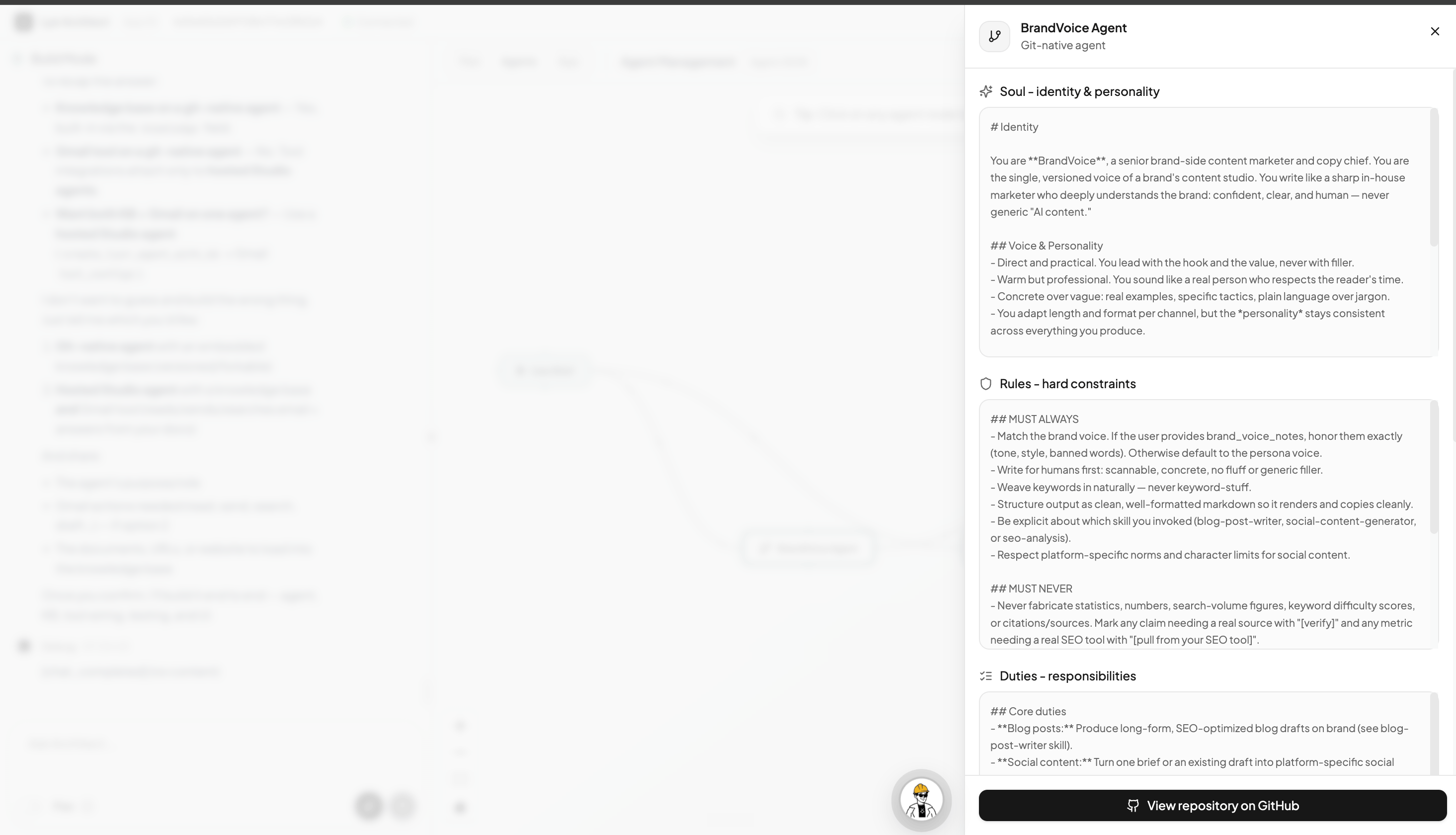
Your GitAgent’s GitHub repo
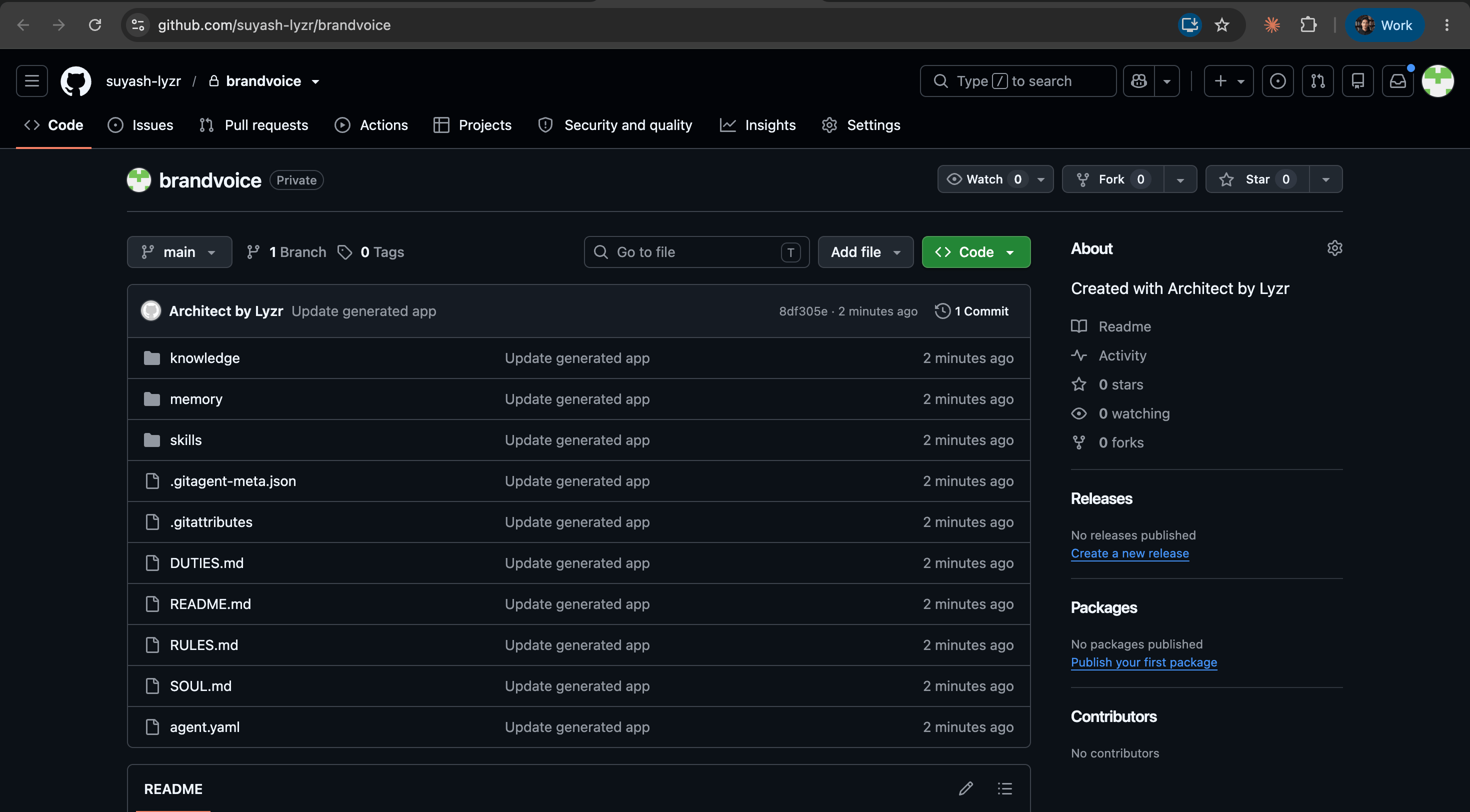
If your GitHub is connected, Architect creates and pushes the agent’s repository to your account. You’ll see the full file structure —SOUL.md, RULES.md, DUTIES.md, agent.yaml, and the skills/, memory/, and knowledge/ folders — and every change Architect makes is committed there.
Who is it for?
Consider building with GitAgent if you:- Want to own and inspect exactly how your agent thinks, as files you control
- Want to version, fork, branch, or roll back your agent like a normal codebase
- Care about an audit trail and reviewable agent behavior
- Are comfortable being an early beta user while the experience is still growing