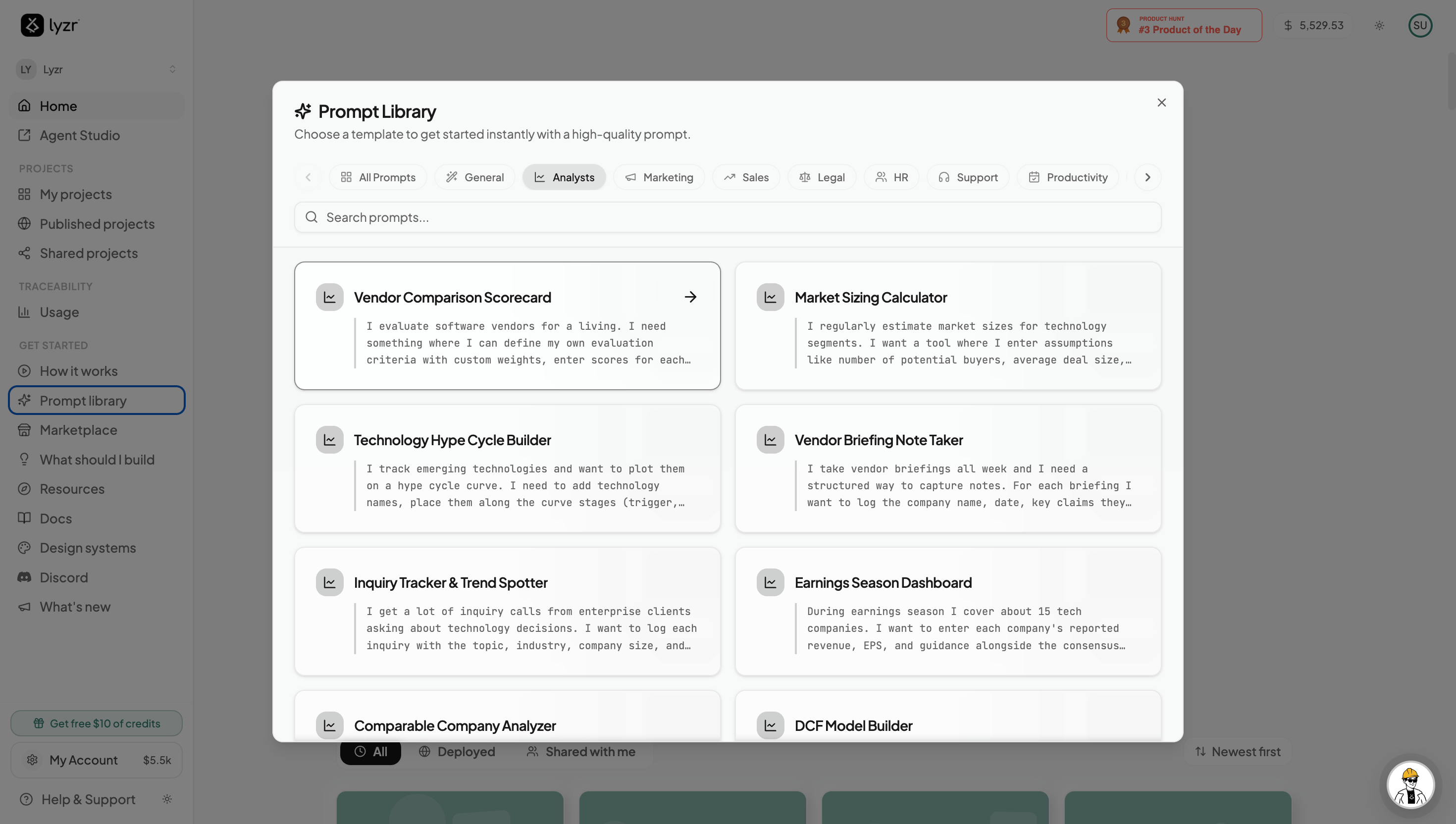
What is the Prompt Library?
The Prompt Library is a handpicked collection of production-grade prompts — organized by role, industry, and task — that consistently produce high-quality agentic apps in Architect. Each entry is a fully specified blueprint: the user journey, the agents involved, and the expected output are all pre-engineered for you.
Use it when you want to:
- Skip the blank-page problem — grab a prompt that’s close to your goal and tweak from there.
- Explore what Architect can do — browse categories to discover automation ideas you hadn’t considered.
How to Access the Prompt Library
The Prompt Library lives in the left sidebar of the Architect homepage. Click Prompt Library to open the full collection.
Once you open the library, you’ll see prompts grouped by function — Sales & Marketing, Operations, Product & Engineering, HR, Finance, and more. Click any prompt to instantly load it into the prompt bar, ready to build.
Every prompt in the library is editable. Load it, adjust the specifics to match your context (industry, tools, success criteria), and hit send — Architect will build from your customized version.