

Why Share an App?
Architect apps aren’t solo projects. Once you’ve built an app, you can share it with anyone on your team so they can open it, iterate on it, and build on top of it — just like you.Step 1: Open “My Projects”
From the homepage sidebar, click My Projects. This view lists every app you’ve built.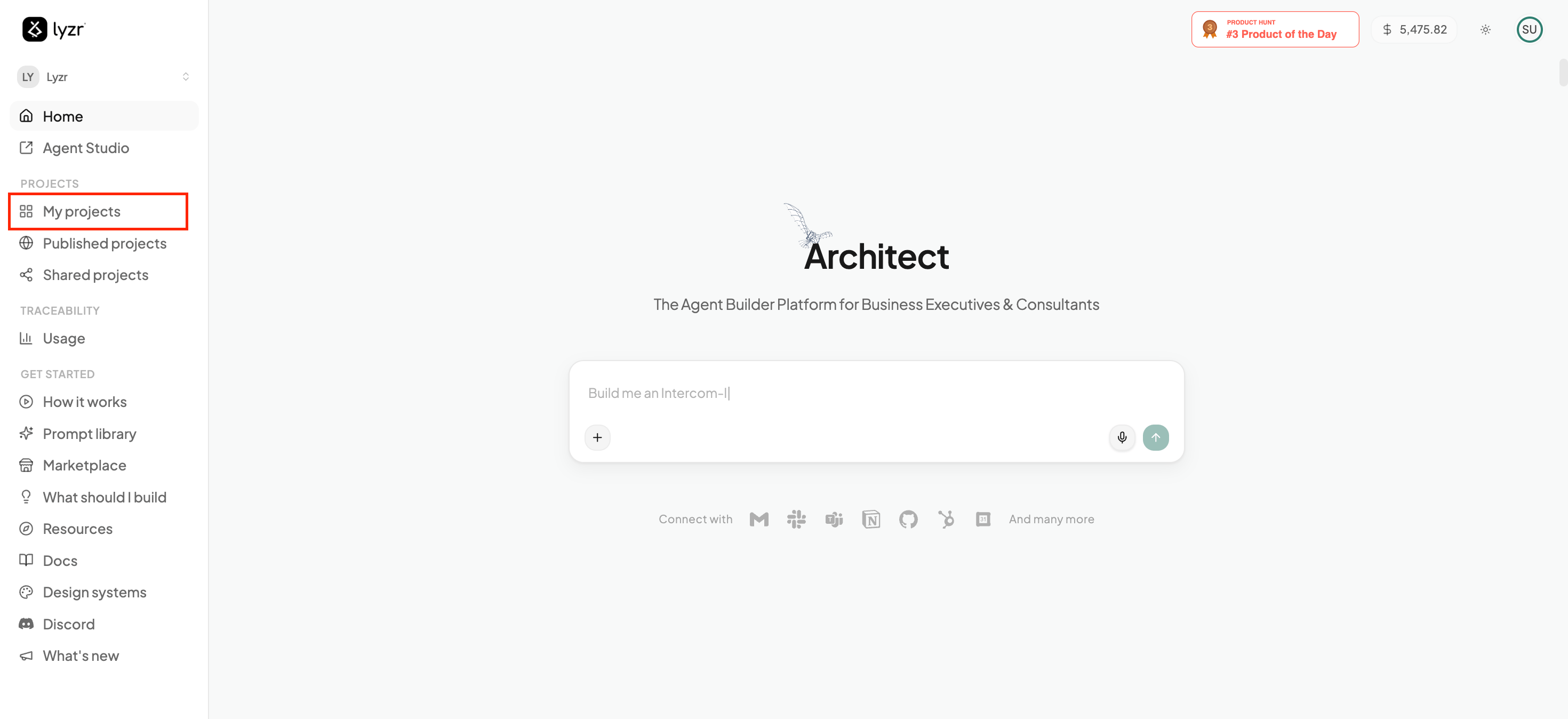
Step 2: Click the Share Icon
Each app card has a share icon next to the Open button. Click it on the app you want to share.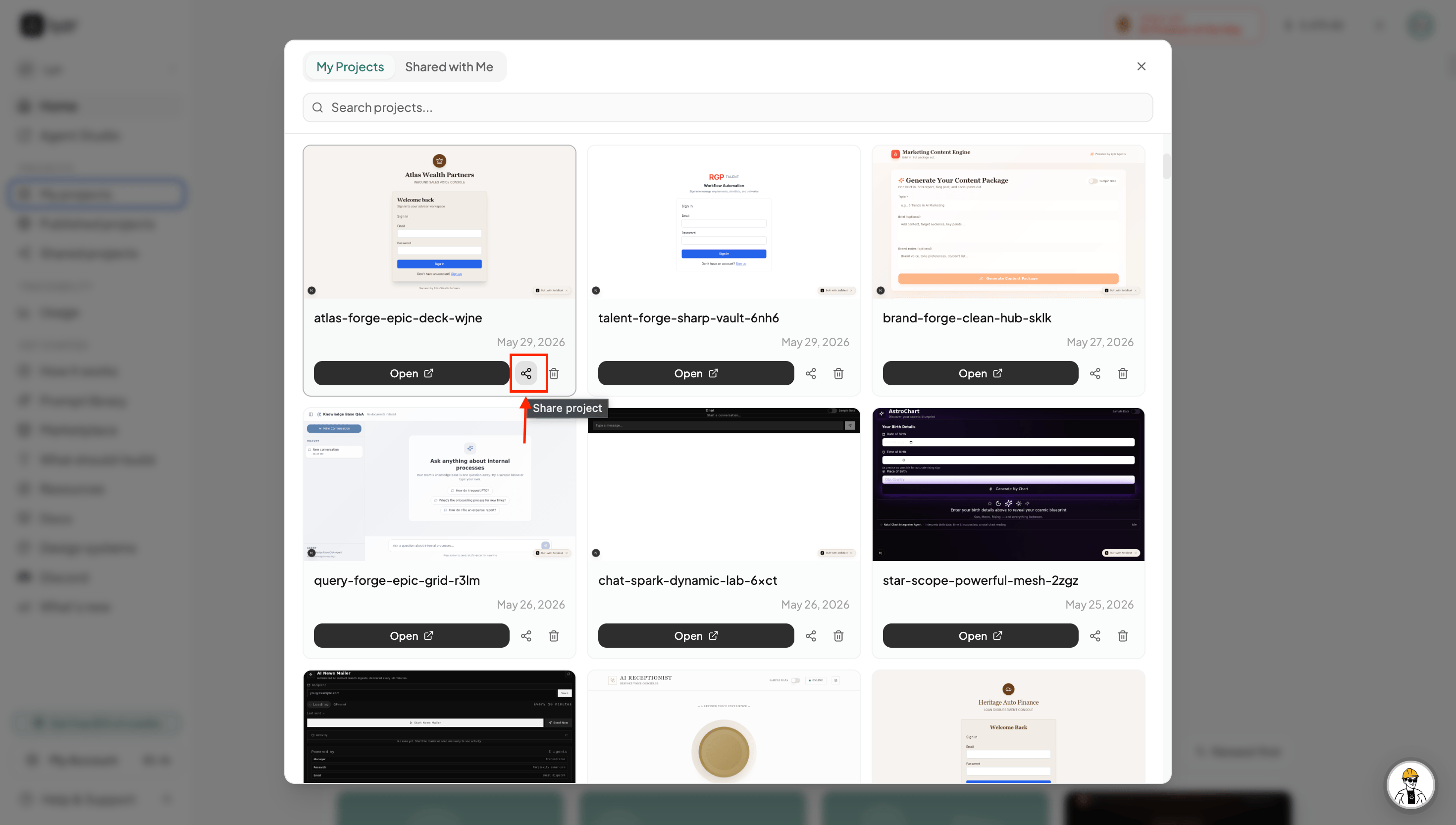
Step 3: Enter the Collaborator’s Email
A share dialog opens. Enter the email address of the person you want to share the app with, then click Share. You can invite multiple people to the same app, and everyone you add will appear under People with access.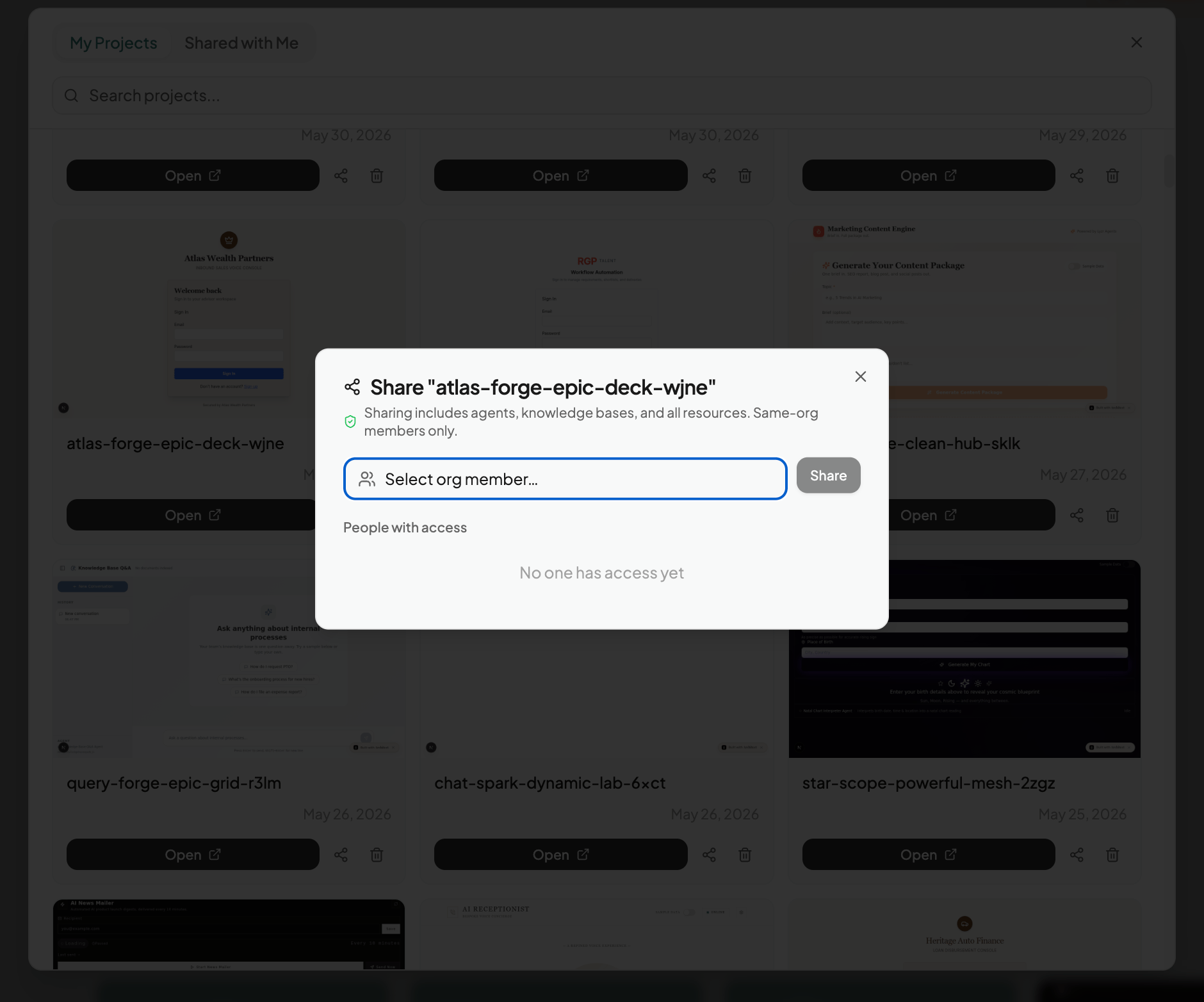
Step 4: Collaborators See It in “Shared Projects”
Anyone you’ve shared an app with can find it by clicking Shared Projects in their own homepage sidebar. From there, they can open the app and work on it just like the original creator.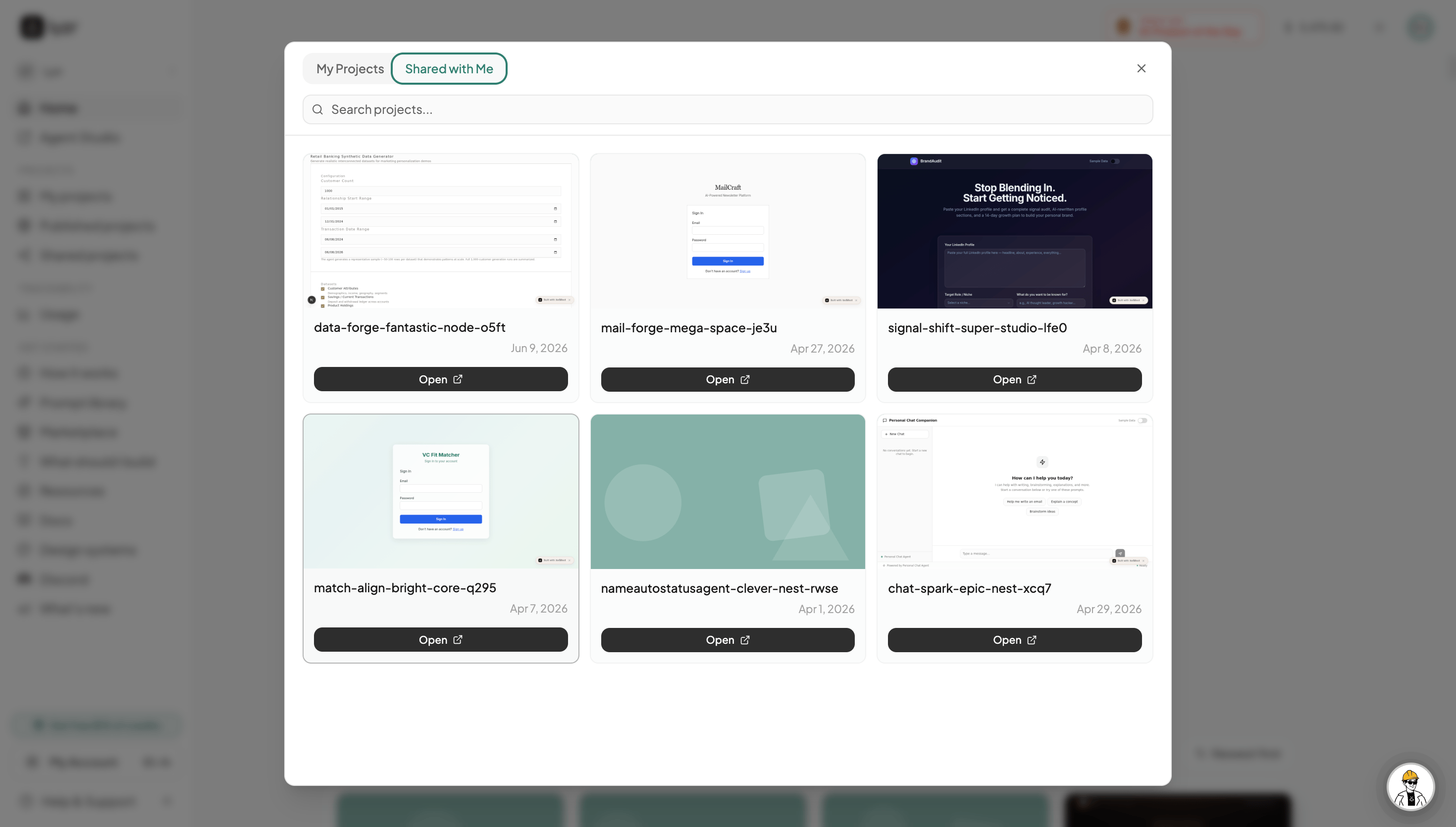
Every person with access works on the same app — there’s no fork or copy. Changes anyone makes are reflected for everyone collaborating.