

Plan Mode vs. Planning & Brainstorming. Plan Mode is for iterating on an app that already exists. To plan and brainstorm before your first build, see Planning & Brainstorming.
How to Use Plan Mode
1
Flip on the Plan toggle
In any app’s build chat, find the Plan switch at the bottom-left of the message box and turn it on. Your next message will be sent in planning mode instead of build mode.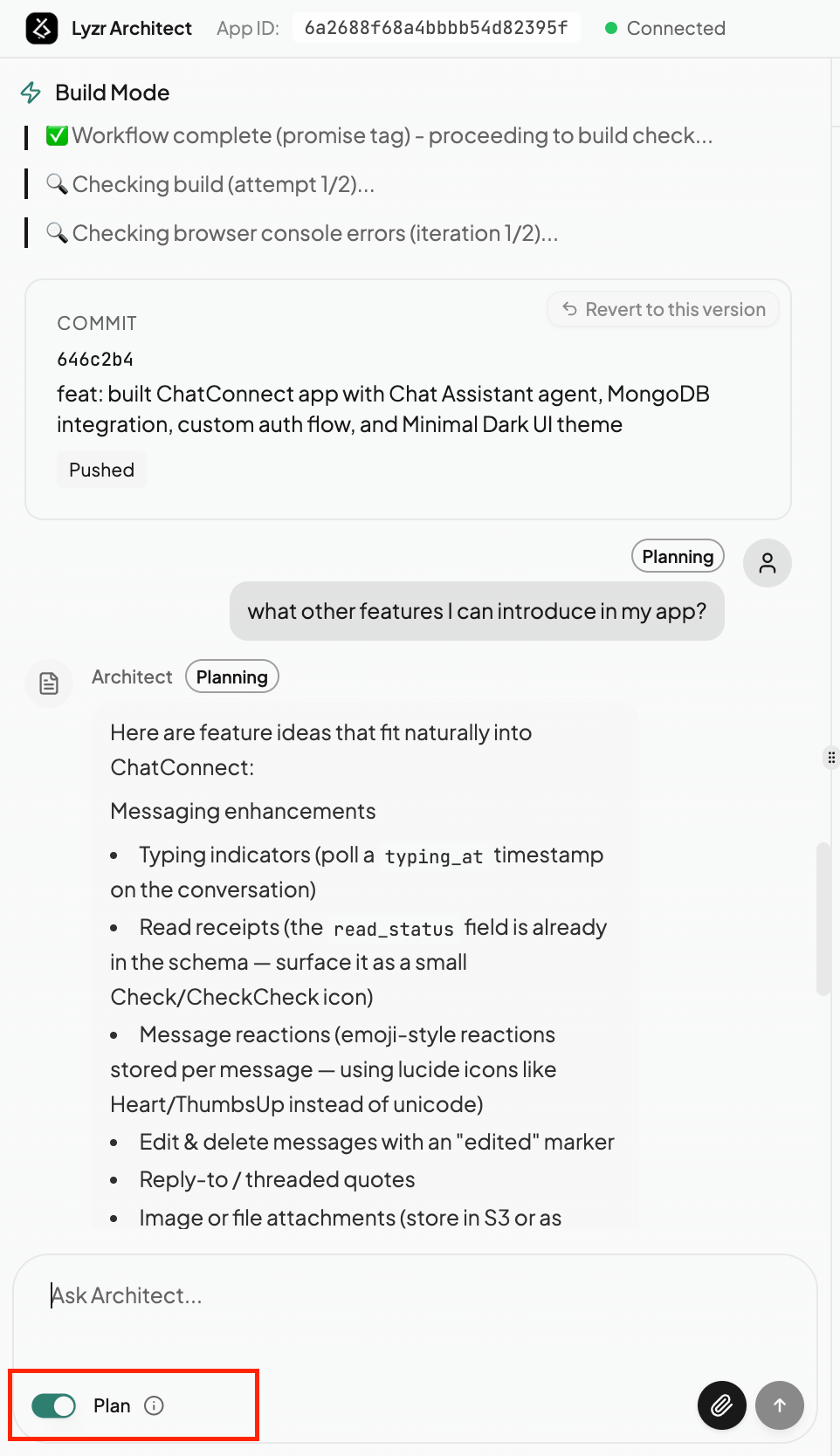
2
Plan the change with Architect
Describe what you’re considering — “what other features can I introduce in my app?”, “how would we add authentication?”, or “plan a redesign of the dashboard.”Architect replies with a Planning-tagged answer: feature ideas, scope, trade-offs, and a suggested approach — laid out clearly so you can think it through. Nothing is built yet, so you’re free to explore options and refine the idea with follow-up messages.
3
Switch to Build to ship it
Happy with the plan? Toggle Plan back off to return to Build mode, then ask Architect to go ahead. The plan you just shaped becomes the blueprint for the change, so the build is faster and lands closer to what you intended.
When to Use Plan Mode
Scope a big change first
Before a large or risky edit, map out exactly what needs to happen so the build doesn’t go sideways.
Brainstorm new features
Not sure what to add next? Ask Architect for ideas that fit your app — and pick the ones worth building.
Compare approaches
Weigh different ways to solve a problem and agree on the direction before any code changes.
Avoid wasted builds
Lock in the plan first so you don’t spend a build cycle on a change that wasn’t quite right.